SPRINTER W906 DIAGNOSTICS
Know your Sprinter before the next race.
We use Mercedes-Benz Sprinter W906 vans to carry our motorcycles to races and track practice. We built W906 Insight to check how our vans are doing before we leave and to keep an eye on them on the road. When the bikes are loaded and the team is counting on the van, we want to get to the circuit safely and with confidence.

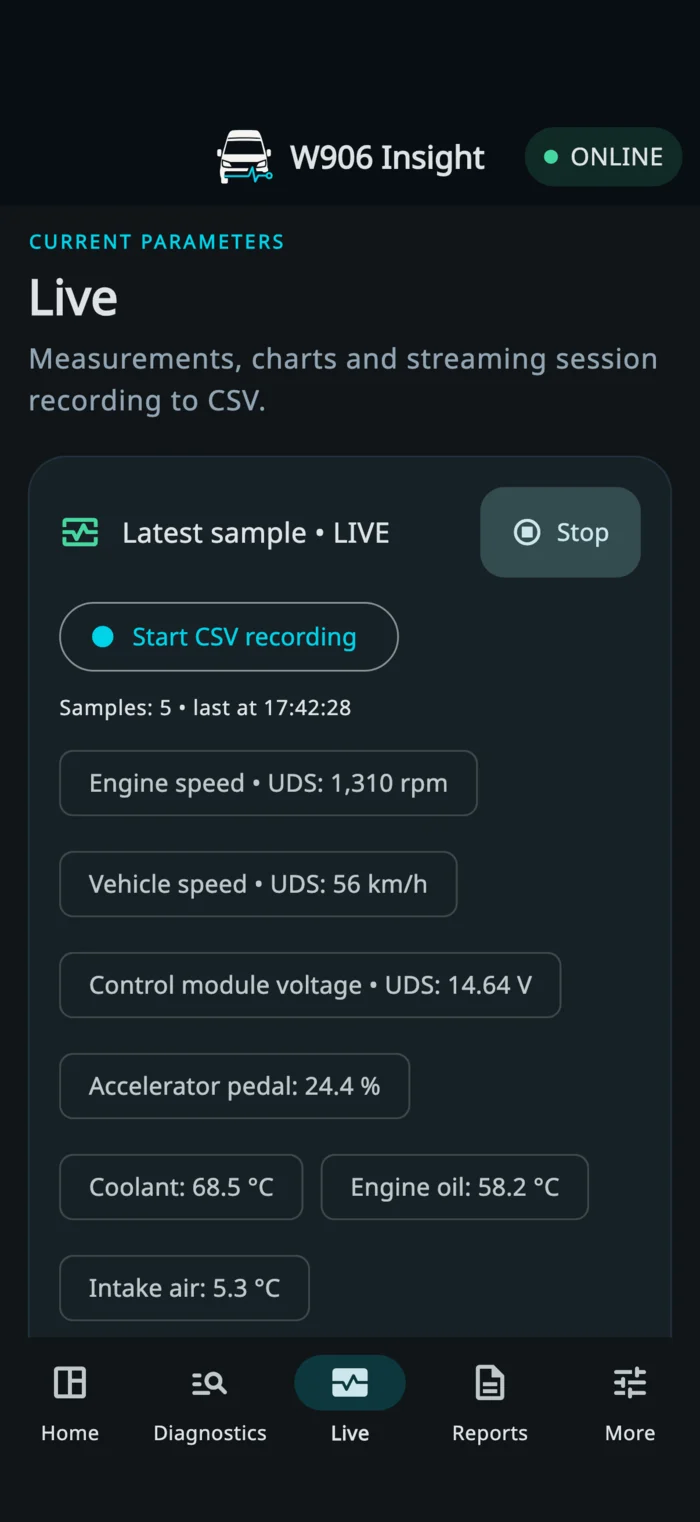
FROM GARAGE TO CIRCUIT
Before, during and after the drive.
See what each tab helps you check before, during and after a drive.
-
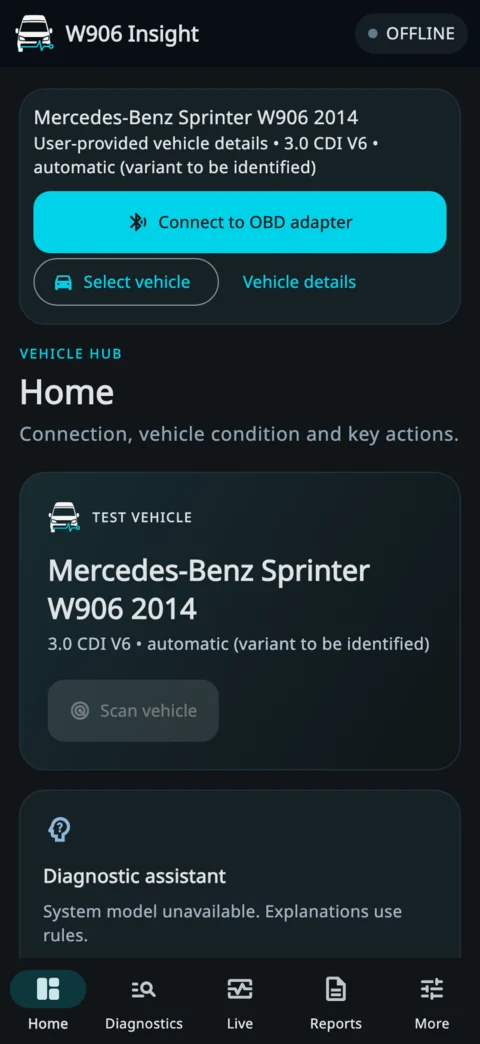
Home
Choose your Sprinter profile, connect the adapter and see the latest vehicle summary before you set off.
-
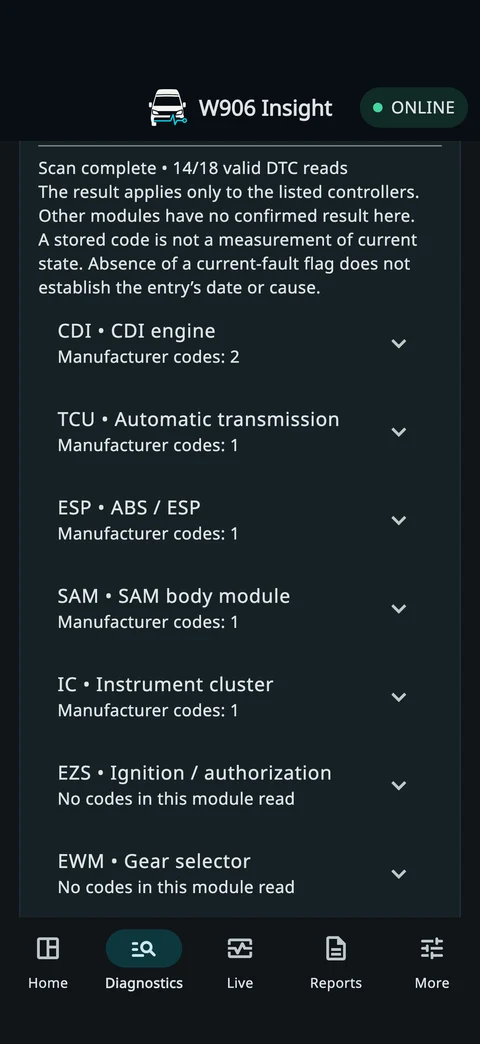
Diagnostics
Follow the scan by stage and module. See which controllers replied and which faults they reported. With OBDLink CX, you can clear fault codes from a supported module after completing a full scan.
-
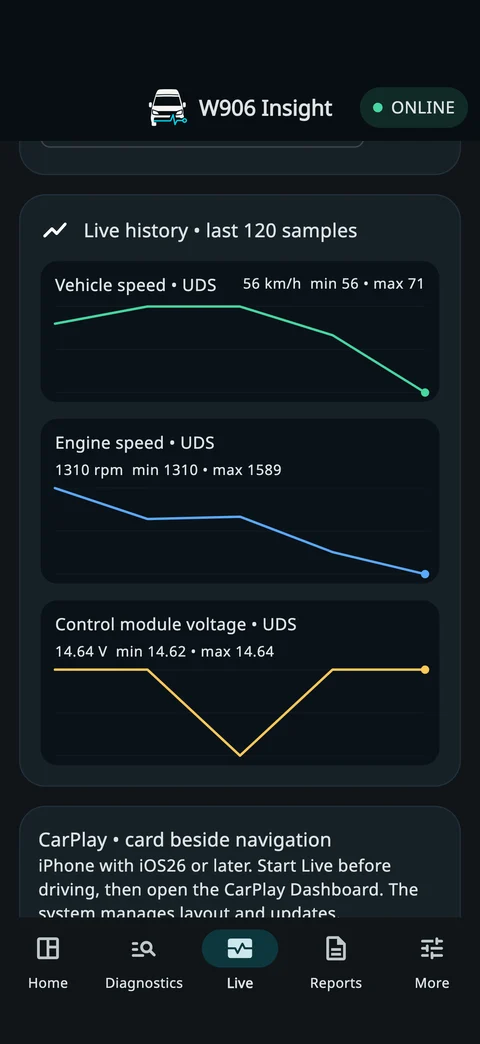
Live
Follow engine and diesel-system readings, check how they change on charts and record a drive to CSV.
-
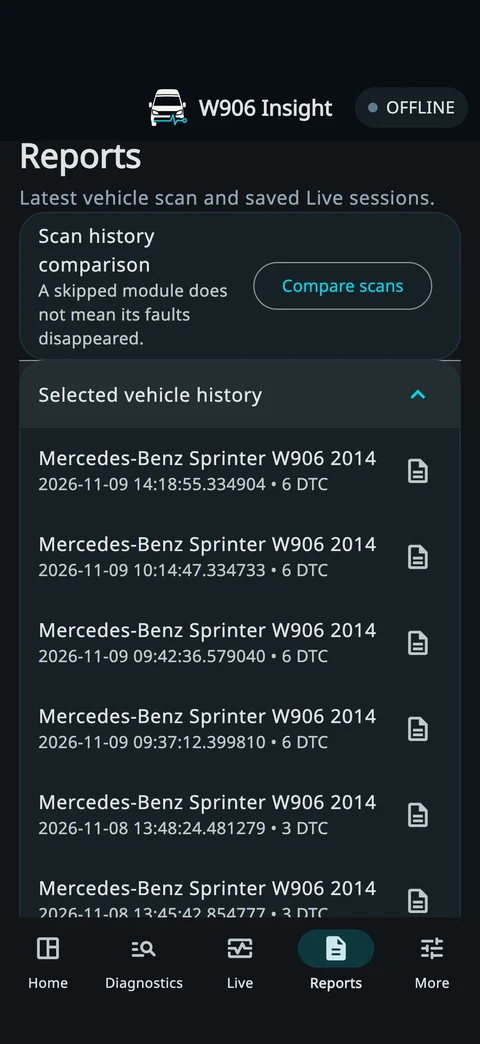
Reports
Reopen previous scans, compare fault codes and share a PDF with your workshop.
-
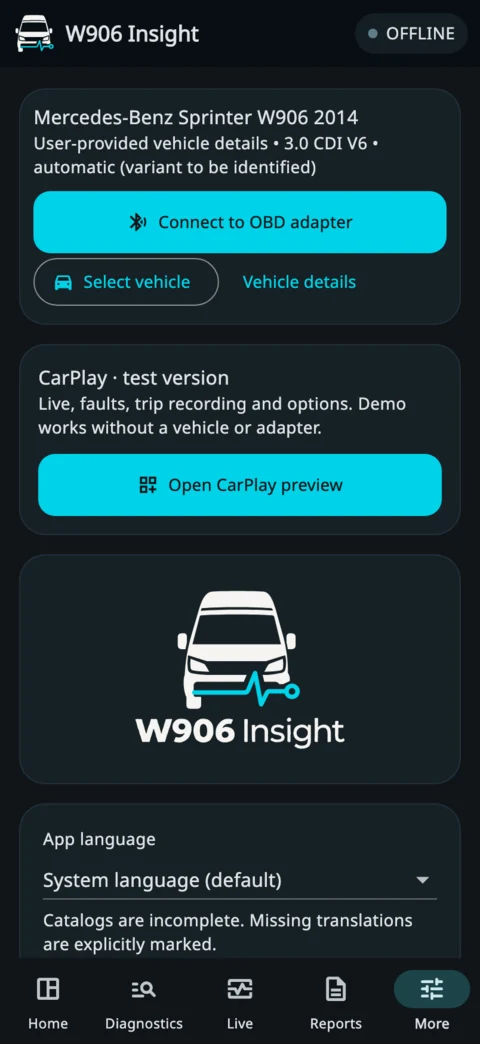
More
Find an OBD adapter, change the app language or open the CarPlay preview and try its demo without a vehicle.
LIVE ACTIVITY FOR CARPLAY
See key readings beside navigation.
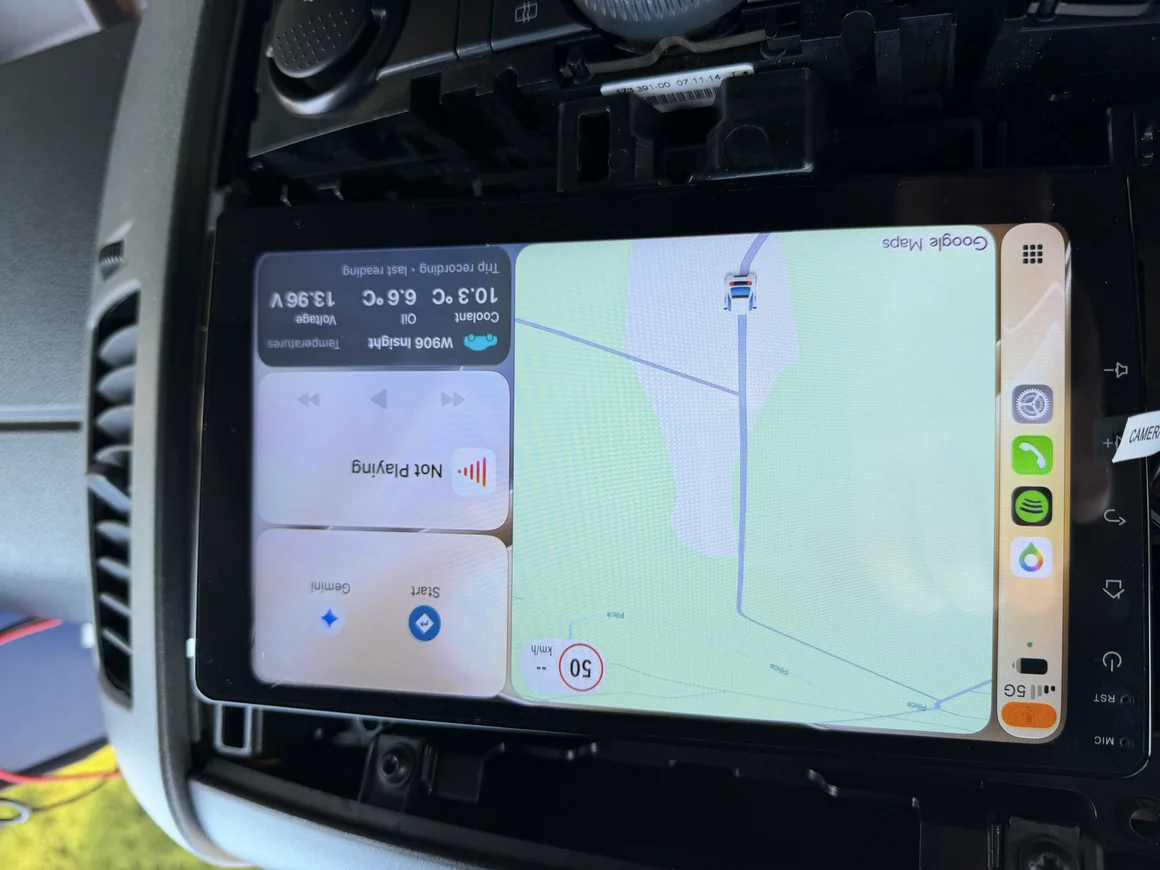
On an iPhone with iOS 26 or later, W906 Insight can show a Live Activity on the CarPlay Dashboard. The card can rotate through Temperatures, Trip and any faults from the latest scan.
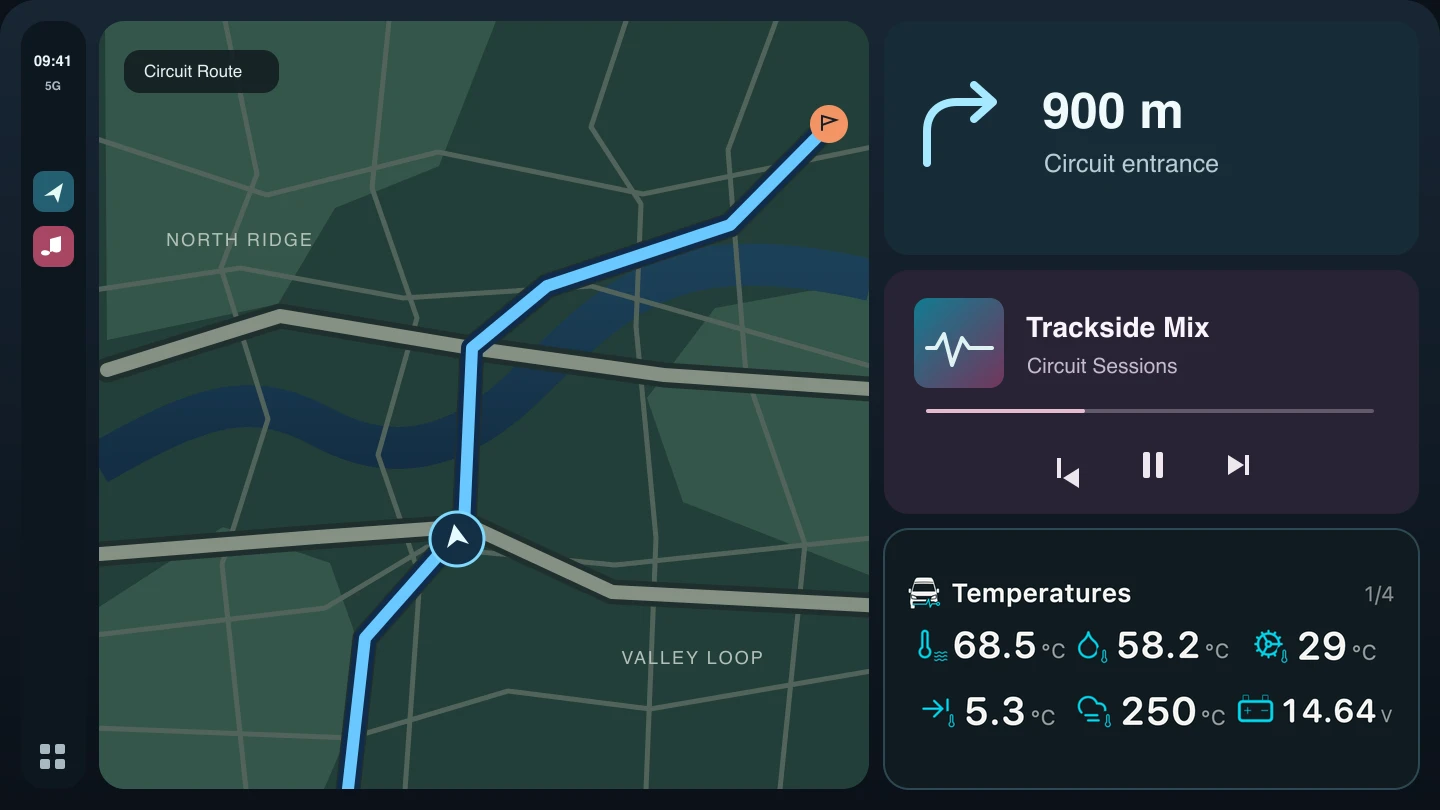
-
Temperatures
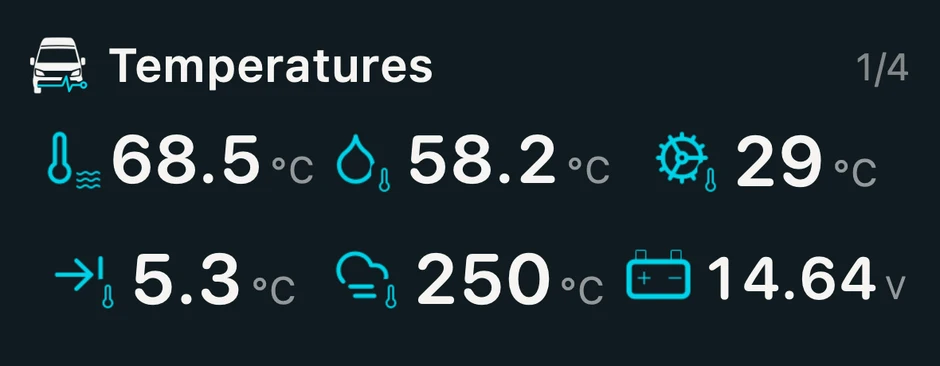
Follow coolant, engine oil and automatic transmission temperatures. The lower row shows intake air, exhaust before the DPF and control module voltage. A manual van shows RPM in place of automatic transmission temperature.
-
Trip
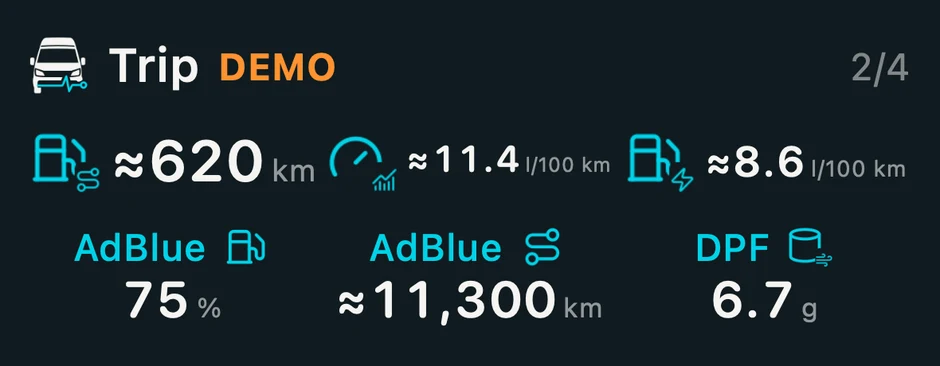
See estimated fuel range, average and current fuel consumption, plus AdBlue level, estimated AdBlue range and DPF soot mass. Use it to plan a stop and follow the soot load when the controller reports it.
Sample fuel figures are marked DEMO. Available readings vary with the van and its controllers.
-
Faults
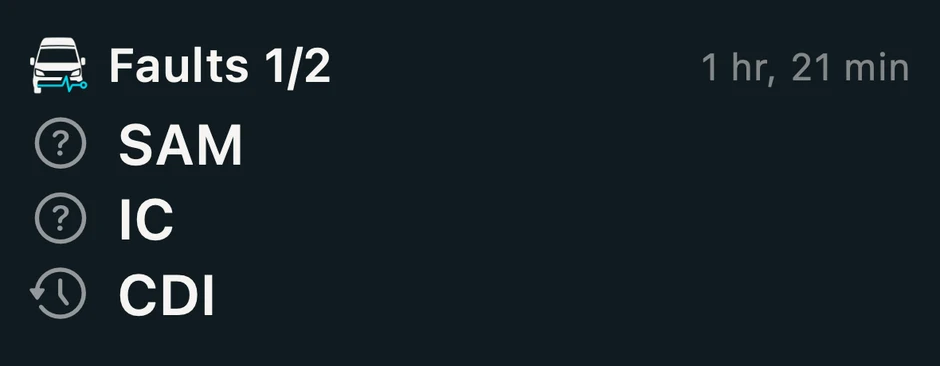
See which modules reported faults in the latest scan. An icon distinguishes a fault present at the scan, a stored fault or an unknown state. The card shows up to three entries per page and appears when the scan has fault entries. Open the report on the phone for details.
Show the next example fault page
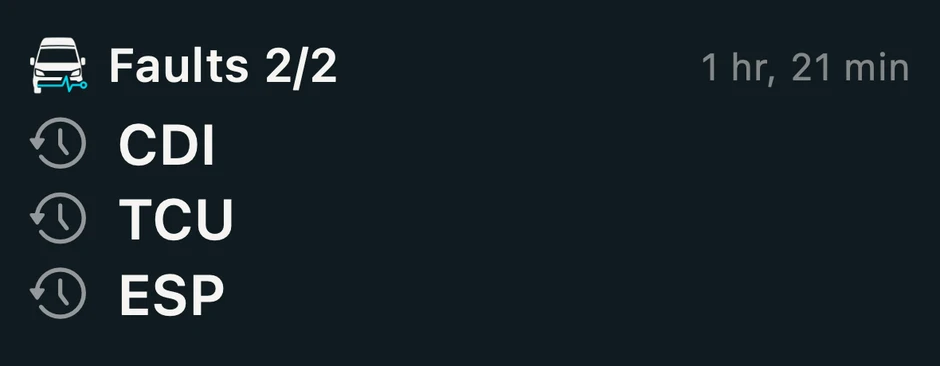
Photo from the earlier road test
Compatibility
What you need.
Available readings depend on the van’s equipment and controllers. Fuel consumption and range are estimates when the required data is available.
- Van
- Mercedes-Benz Sprinter W906
- Adapter
-
Tested on W906: OBDLink CX (Bluetooth LE, STN2310). OBDLink technical reference
OBDeleven 2 NextGen, firmware 29 supports read-only diagnostics. A test on a Sprinter W906 confirmed VIN, Live readings and fault codes. The updated full scan still needs a vehicle retest. Some extended fault details require OBDLink CX.
ELM327 BLE adapters to test
These models still need testing with W906 Insight on a Sprinter.
- UniCarScan UCSI-2100. We tested BLE and ELM327 reads on a motorcycle using MyRacing Pulse. WGSoft specifications
- Veepeak OBDCheck BLE. The manufacturer lists Bluetooth LE for iPhone and ELM327 v1.5. Veepeak BLE specifications
- Veepeak OBDCheck BLE+. The manufacturer lists Bluetooth LE for iPhone and ELM327 v2.2. Veepeak BLE+ specifications
Technical requirements for other ELM327 adapters
Compatible ELM327 adapters need BLE service
FFF0, channelsFFF1andFFF2, CAN 11-bit at 500 kbit/s, receive address filtering and multi-frame flow control. Check the exact adapter model and firmware with W906 Insight on a Sprinter W906.In W906 Insight, use More → Find OBD adapter. After the first successful connection, the app remembers your adapter and tries to reconnect when it is available.
- Phone
- iPhone with iOS 17 or later. The CarPlay card requires iOS 26 or later.
W906 Insight support.
If a connection fails, open More → Find OBD adapter and select your adapter. If you need help, email support@myracing.online with your iOS version, adapter model and firmware. Share a diagnostic export only if you choose to, and check it for vehicle details before sending.