Web & mobile
MyRacing Platform
Plan your track days and races, keep every session with the bike, setup and tyres you ran, and take that history back to the circuit.
Rider Pro
The plan that gives you full access to MyRacing Platform.
Track your pace and tyre performance across the season, train around your race calendar with Race Ready, talk through your next outing with AI Racing Coach and share bike records with your mechanic. These features work with the records you already have, including sessions you log or import.
The same plan includes recording with the MyRacing Pulse app and detailed telemetry analysis of those sessions in MyRacing.
See plans & pricing →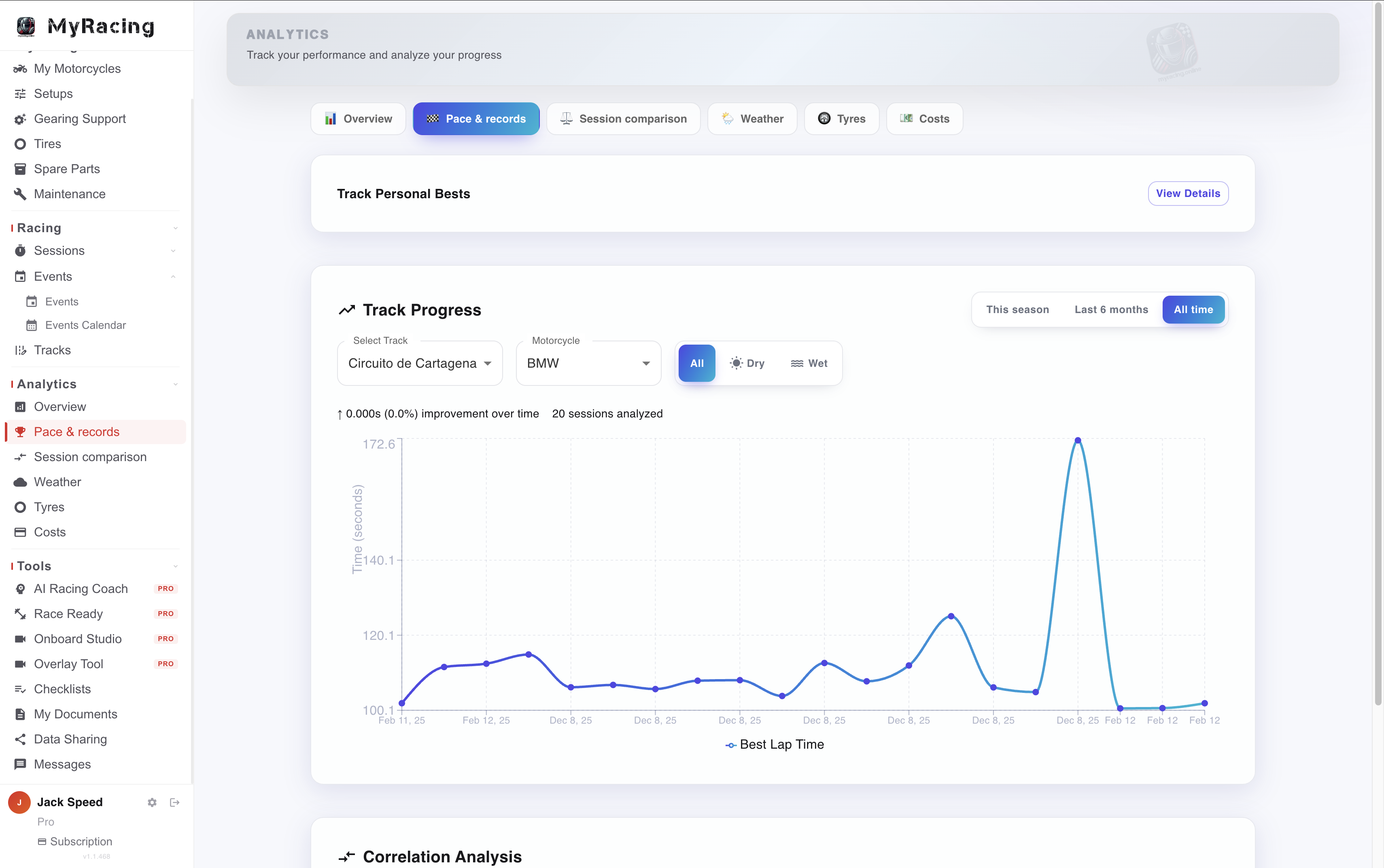
Season Analytics
Use your session history to see how your pace, tyres and spending change across the season. Rider Pro works with lap times you enter or import and the conditions and equipment you log.
Pace across your season. Follow personal bests by track, compare sessions and examine how your times vary with temperature and wet or dry conditions.
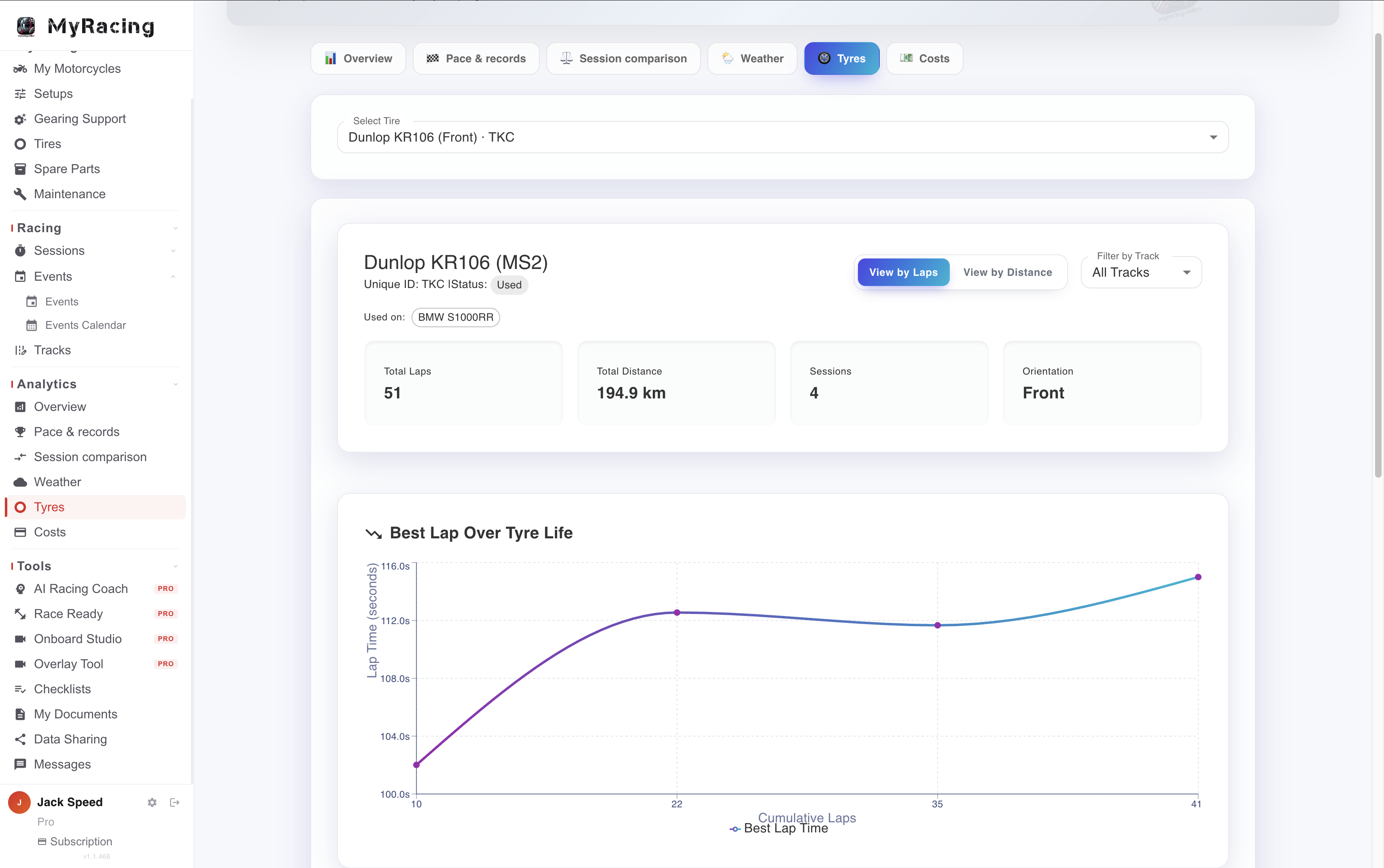
The history of each tyre. Review its recorded laps, distance, session times and cost across its life, with the conditions that help put a change in pace in context.
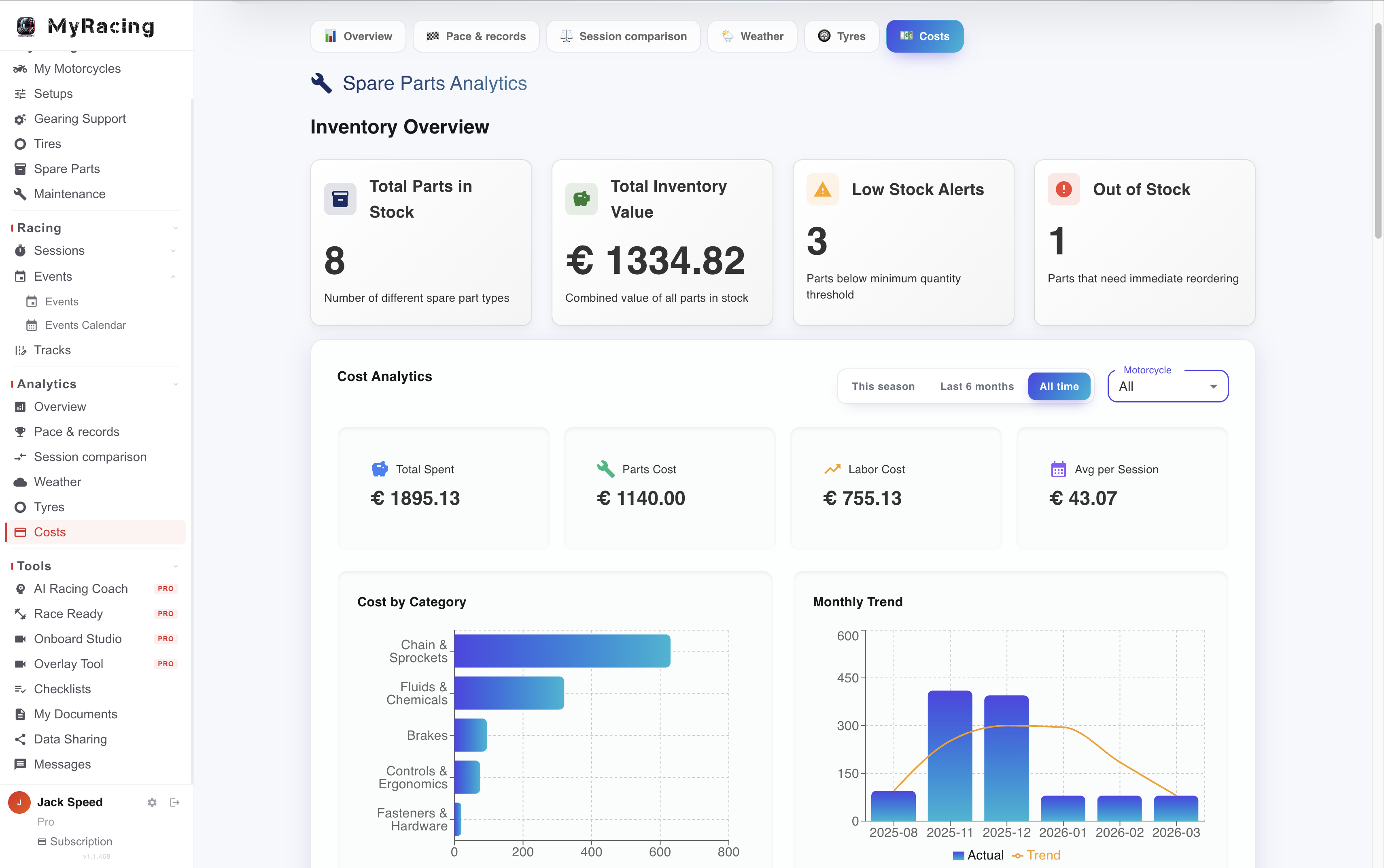
Costs and stock. Track spending on parts and maintenance, review usage and check projected needs before an upcoming event.
For all riders
See your lap times, session summaries and side-by-side comparisons of up to three sessions in Sessions.
Session statistics with Rider Pro
Even with a manually logged or imported session, you can see consistency, lap-time distribution and how each lap differed from your best. See what’s included in Sessions →
With a MyRacing Pulse recording and Rider Pro
Telemetry Analysis
Find what keeps costing you time across the session. Then open the relevant passage and compare how you rode it against a quicker pass.
See which losses repeat. At Almería, the Time Loss report shows lap 6 losing 1.04 s through T4–T6 against the quickest pass through that section. The report compares the same section across laps so you can see whether the loss repeats. Open a flagged passage on the map to investigate extra slowing or, where throttle was recorded, a repeated roll-off.
Find the stronger pass through each corner. Compare against your quickest pass through that corner or the pass on your best complete lap. Open two of your own or shared laps on the same layout to measure what changed under braking, at turn-in, at the apex and on exit. The braking report shows how consistently you started slowing across laps.
Put the numbers back on track. Replay the racing line with the recorded channels in 2D or on a supported 3D layout. Lap times, sector splits, the theoretical best and ideal lap put the passage in the context of the whole session.
Prepare for the next outing
Use your race calendar to plan training, and the records you’ve built to talk through your next outing.
Race Ready
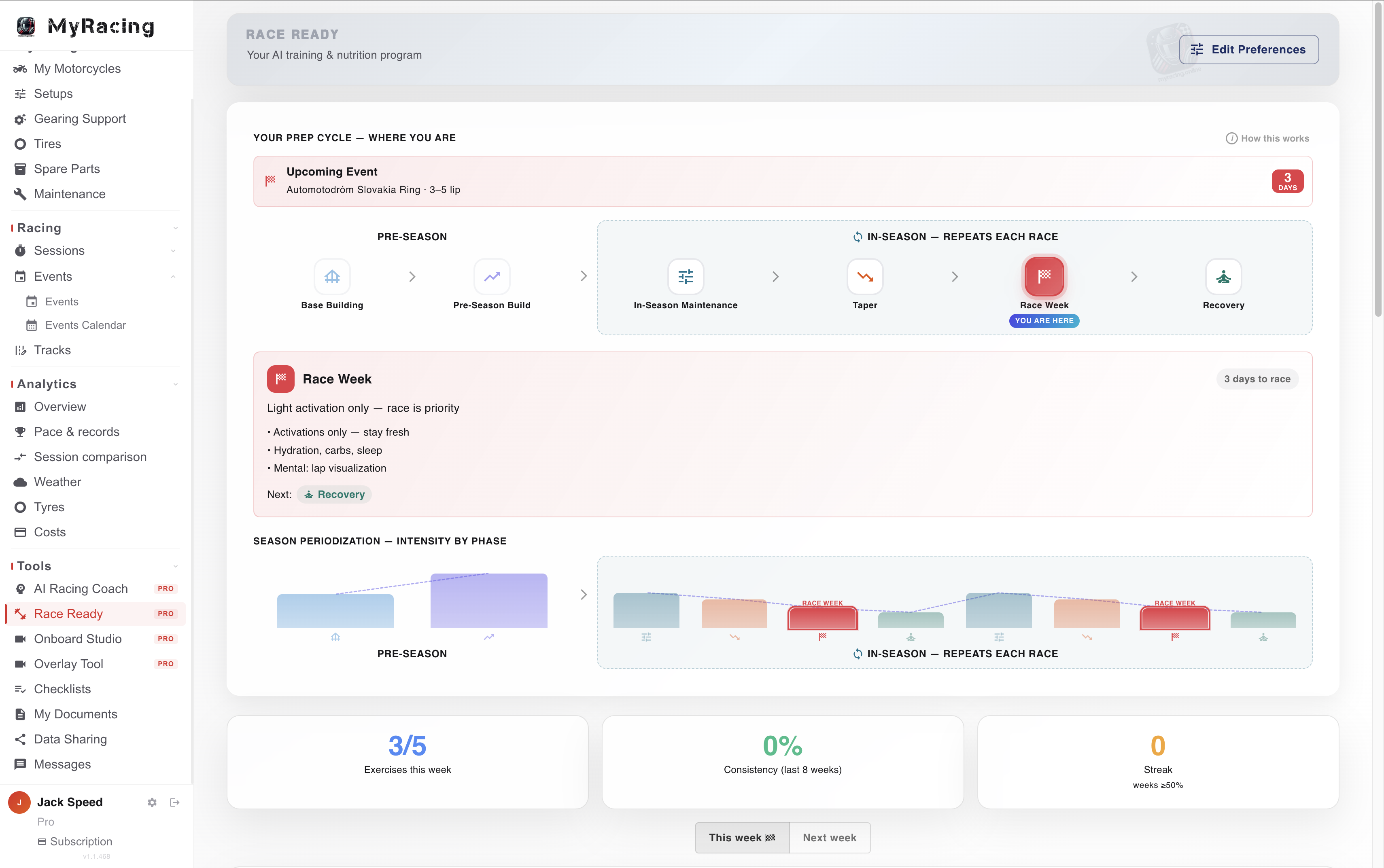
Training, nutrition and race-week prep that follow your race calendar. It uses the bikes, tracks and events you keep in MyRacing.
Preparation across the season. Race Ready organises training through base, build, in-season, taper, race week and recovery phases around your race calendar.
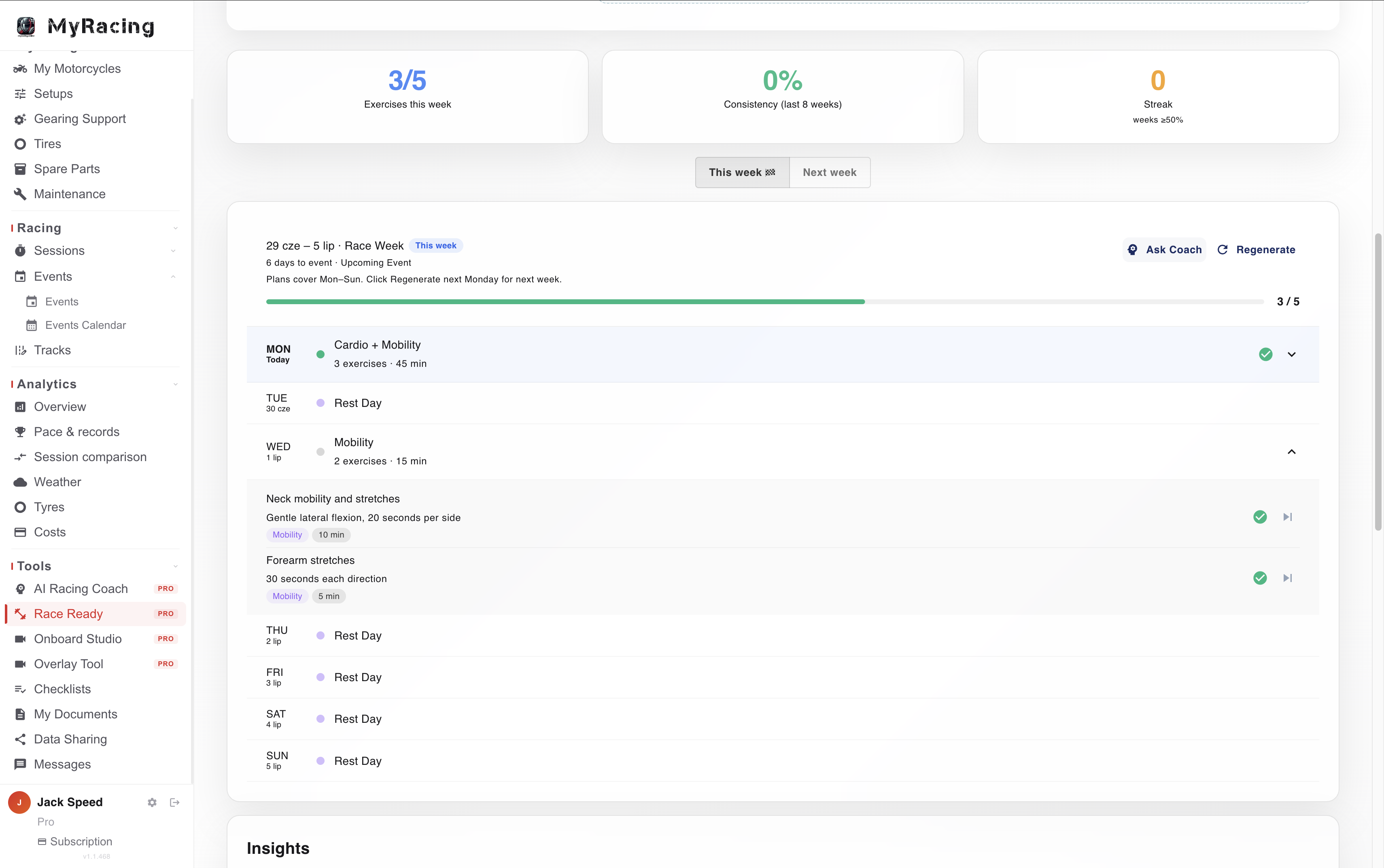
Training plan. Race Ready generates your personalised week's training plan Mon to Sun.
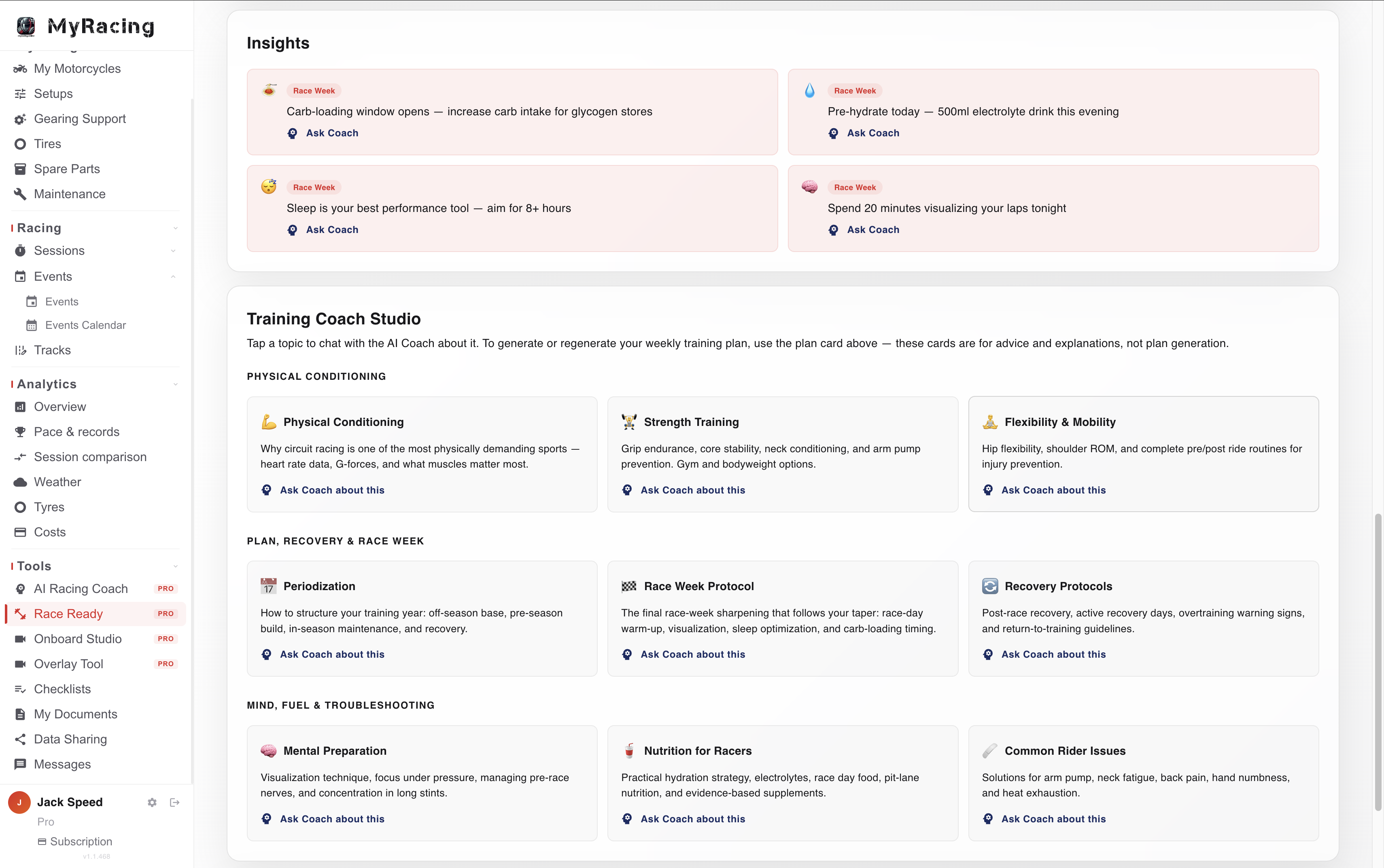
Race-week guidance. The knowledge base covers nutrition and race-week routines alongside the weekly plan.
Topics to discuss with Training Coach. Conditioning, strength, mobility, nutrition, mental preparation and recovery can be explored alongside your plan.
AI Racing Coach
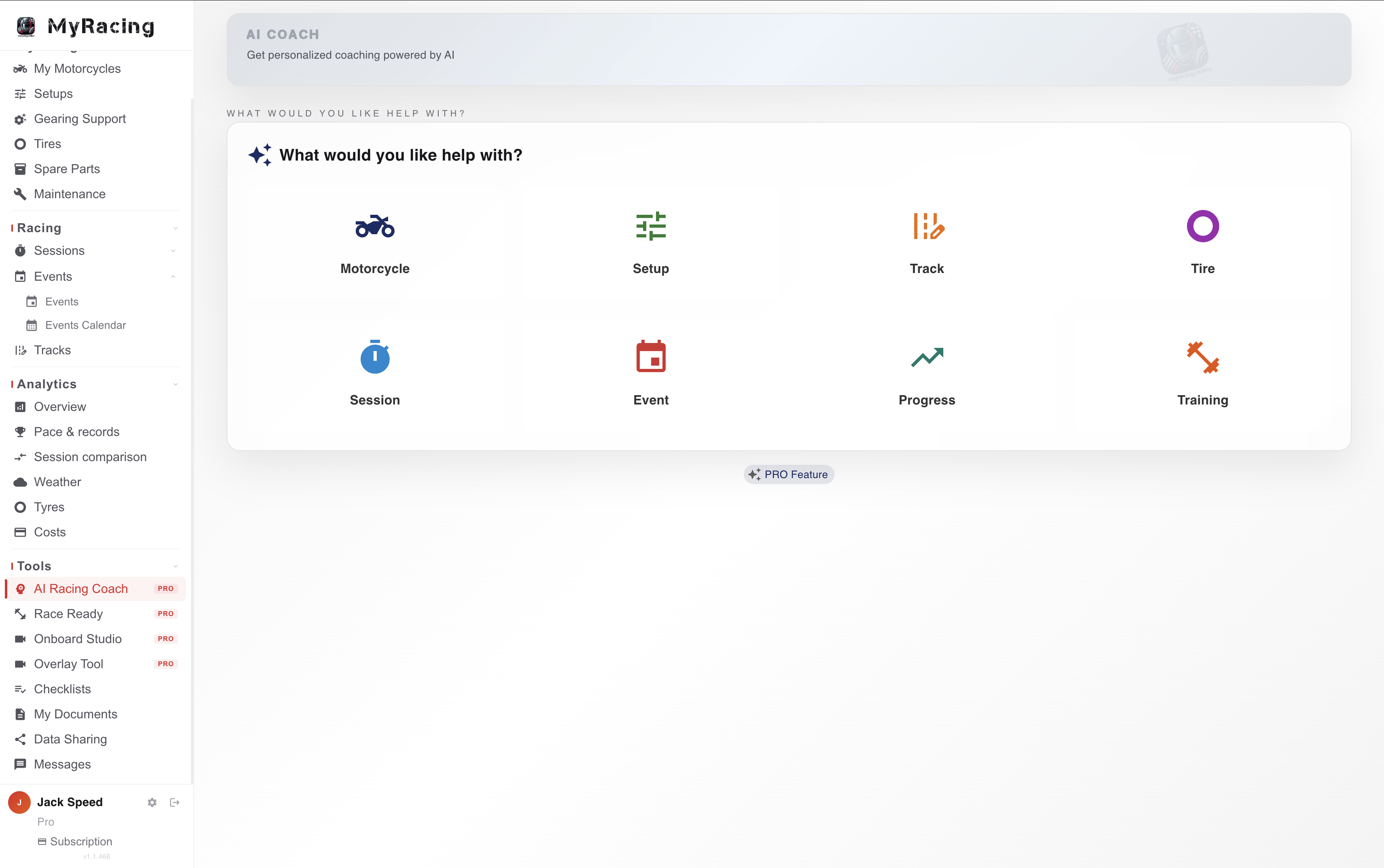
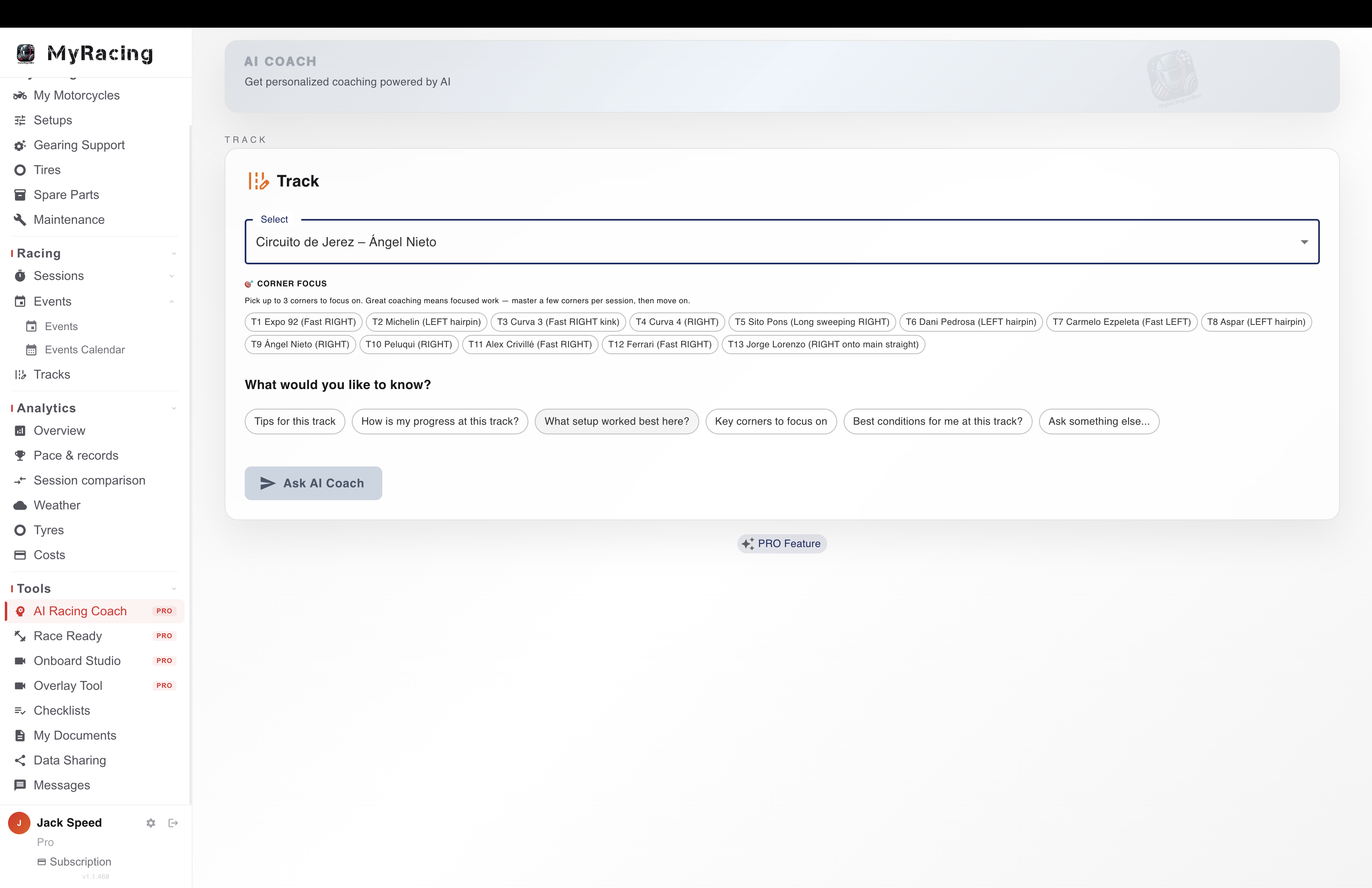
AI Racing Coach lets you discuss your motorcycle, sessions and preparation using the relevant information logged in MyRacing. Ask about your history at a circuit, a setup for an upcoming event or your training plan. It works with the records you already have, including sessions logged without telemetry. Its responses bring the selected context into the discussion, with recommendations to assess against your equipment and riding conditions.
Eight areas of your riding. Ask about motorcycles, setups, tyres, sessions, tracks, events, progress and training.
Available where you are working. Open a discussion from the garage, an event, training or analytics, with the relevant context selected.
Based on your records. The selected context gives the Coach information from your account to use alongside technical guidance. Check recommendations against the motorcycle’s specifications and actual conditions.
All your conversations are stored if you need them later and can be held in English, Spanish, German or Polish.
Work with your mechanic
Your mechanic has a free workspace with their own parts inventory. With Rider Pro, share selected motorcycles, setups and sessions, and give permission to record maintenance or prepare a setup.
With MyRacing Pulse. Share a recorded session to review telemetry together. Live View lets your mechanic follow the ride remotely when both sides have a connection.
One Rider Pro Plan
 MyRacing Pulse app
iPhone and Android
Record telemetry at the track. Open the web version of the MyRacing Platform straight from the app to review your uploaded sessions and use the rest of the Platform.
Download the MyRacing Pulse app MyRacing Platform
Web and mobile apps
MyRacing Mobile for iPhone and Android
Rider Pro gives you full access to the MyRacing Platform. Review your sessions, compare pace, tyre use and costs across the season, manage your garage and race calendar, and prepare with Race Ready and AI Racing Coach.
Open MyRacing on the web Download MyRacing MobileUse the same MyRacing account for both. You can use Rider Pro features on the Platform with the records you already have. Telemetry views use a session recorded in the MyRacing Pulse app.
Event Hub
Keep the whole race weekend together
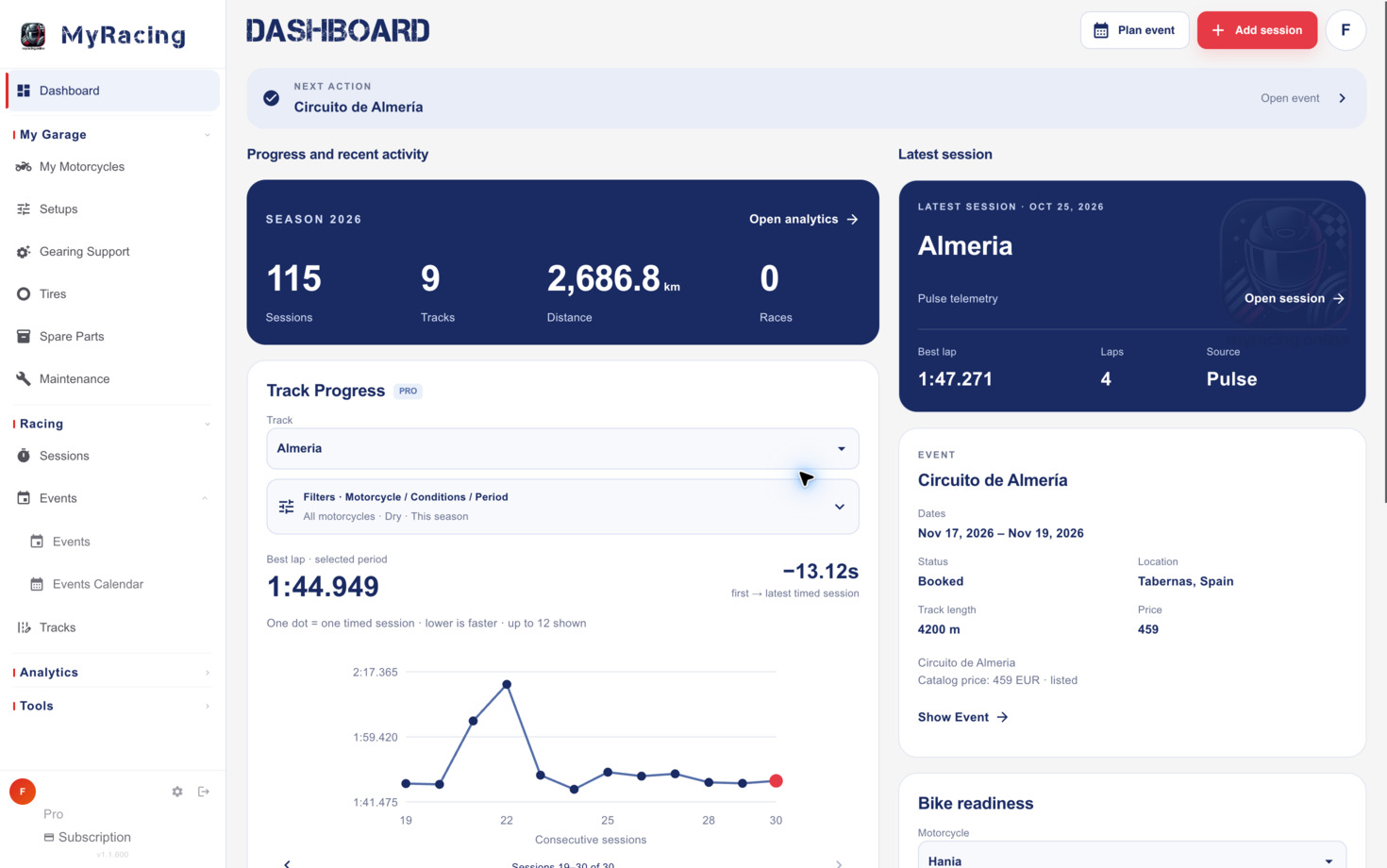
Plan your season, build each weekend, and keep every session, lap and note for the circuit in one place, from the first entry to the debrief.
For all riders
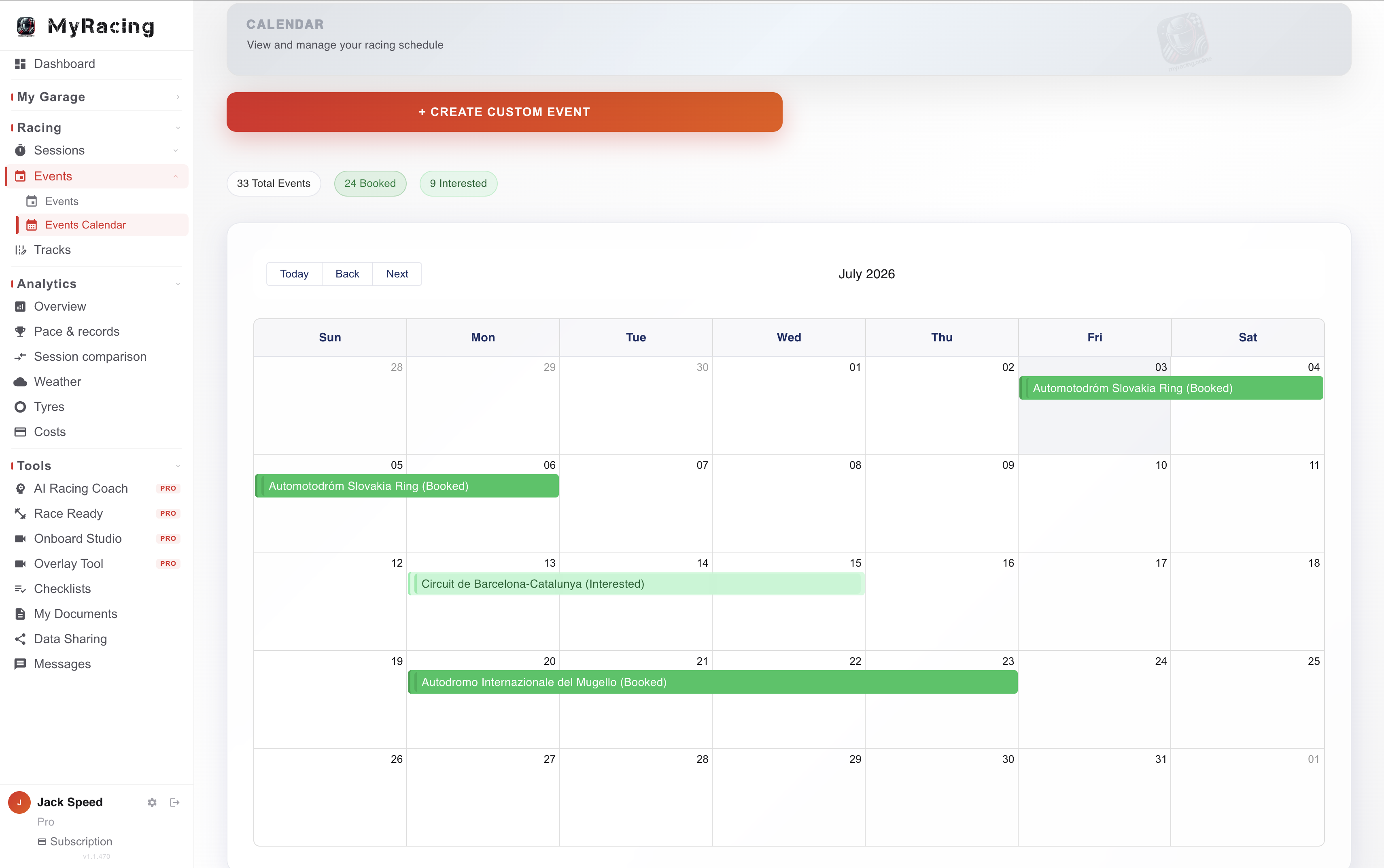
Season planning: every event you're running, mapped out in one place.
Your track record, right there: open an event and your history at that circuit is waiting: sessions, lap times, PBs, corner notes and the grip forecast.
The Event Hub: organise the weekend, use the basic checklist and log sessions while you are at the track.
Only in the Rider Pro plan
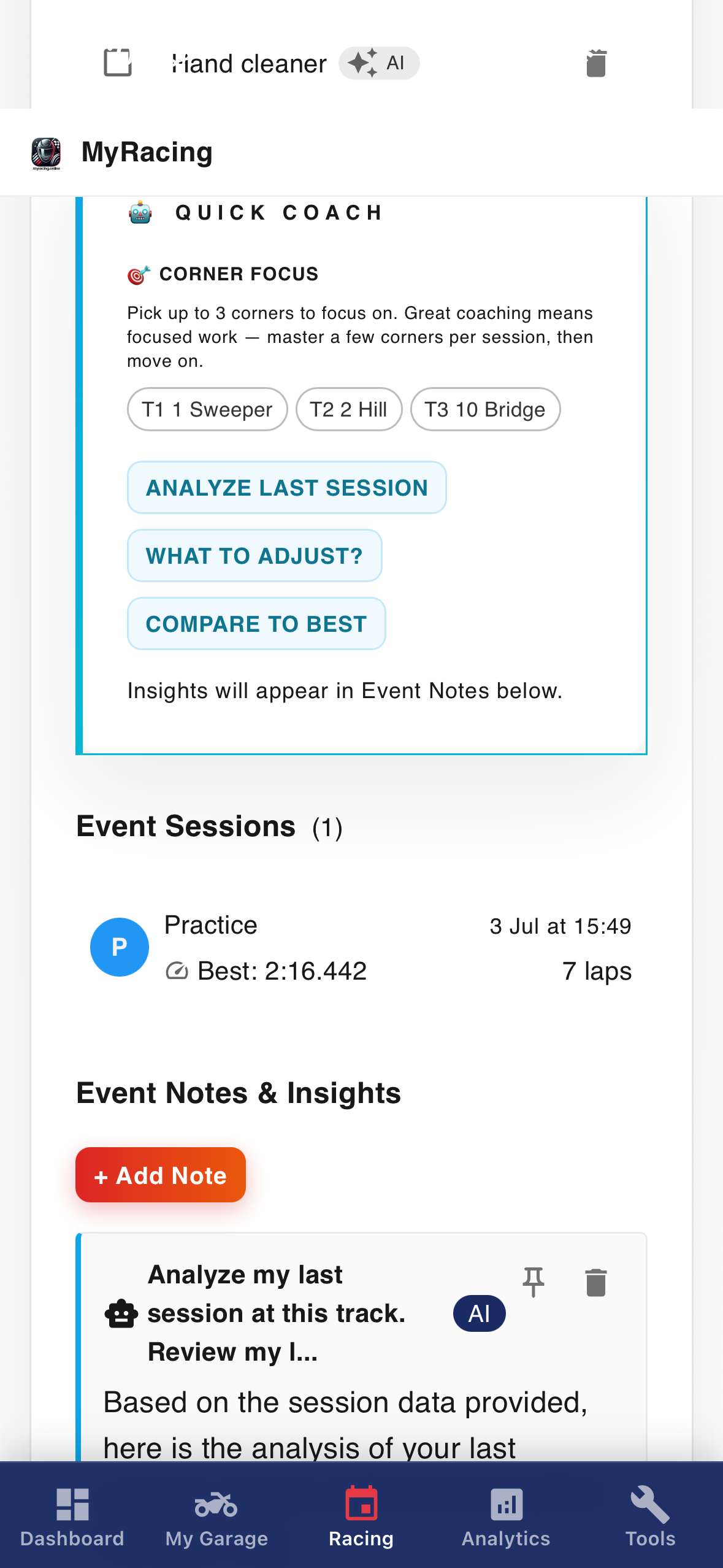
AI Racing Coach in the Event Hub: discuss preparation before the event, review sessions during it and work through a debrief afterwards using the relevant records.
AI-generated checklist suggestions for the weekend ahead.
Tracks
Bring your circuit notes to the next visit
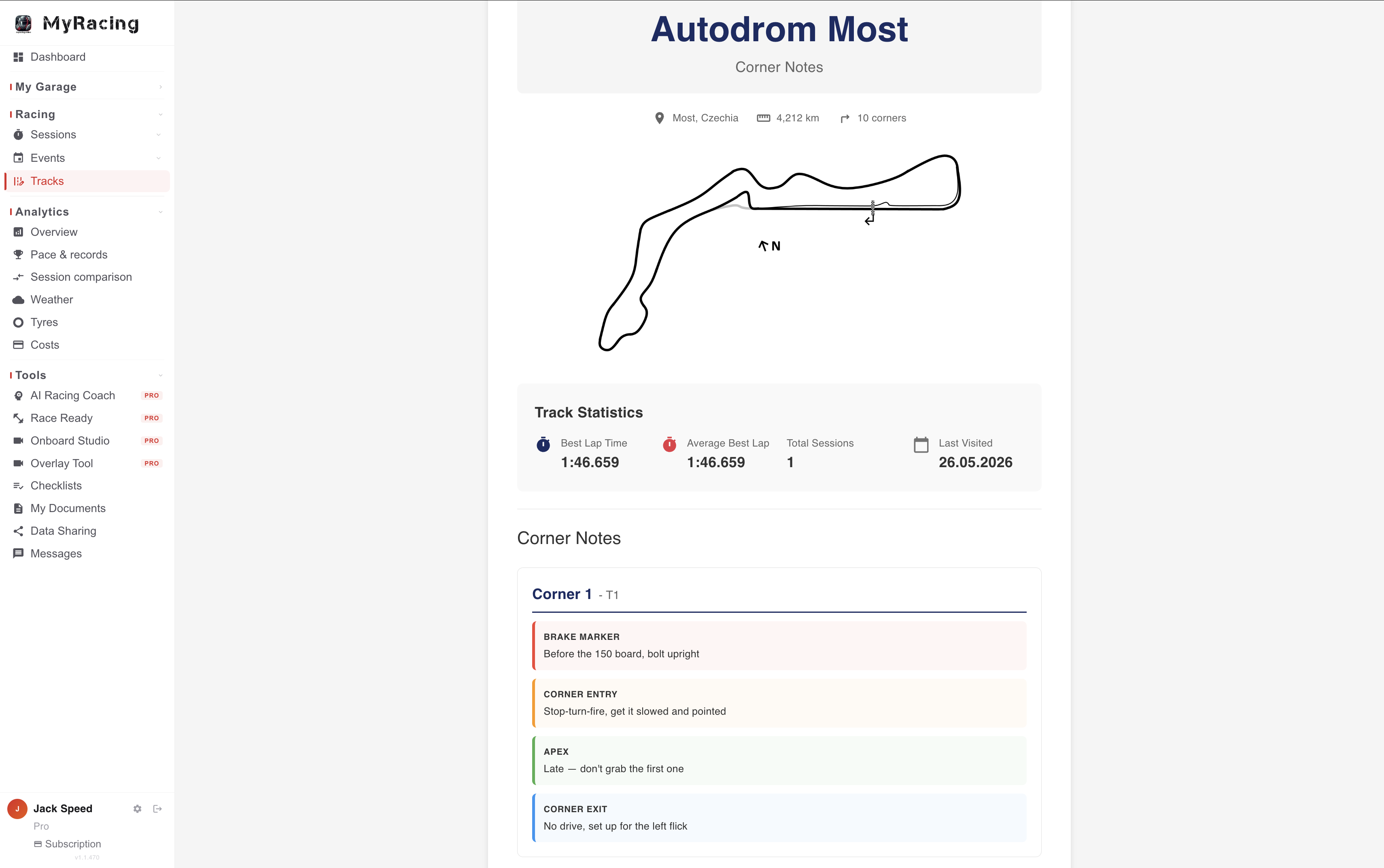
Your corner notes, your map, the official circuit data and the grip forecast, plus every session you've logged there, all attached to the track.
For all riders
Official FIM circuits and your own: start from homologated circuit data, or add any track that isn't listed with your own details.
Your corner notes and track map: braking points, entry, apex, exit in your own words, with the track map you link in. Print them with your performance summary for the pit wall.
Weather and grip forecast: hourly conditions per circuit (air temperature, rain, track wetness, grip prediction). Available from around two weeks out and updated as the date nears; at the track you see the current hour plus the hours ahead.
Your history at the track: every session, bike, tyre and best lap you've logged there stays attached to the circuit, so you can pull a session from two years ago and compare it to today.
Only in the Rider Pro plan
Your track progress: lap-time progression and performance analytics across all your sessions at a circuit.
Sessions
Keep the setup and conditions with every session
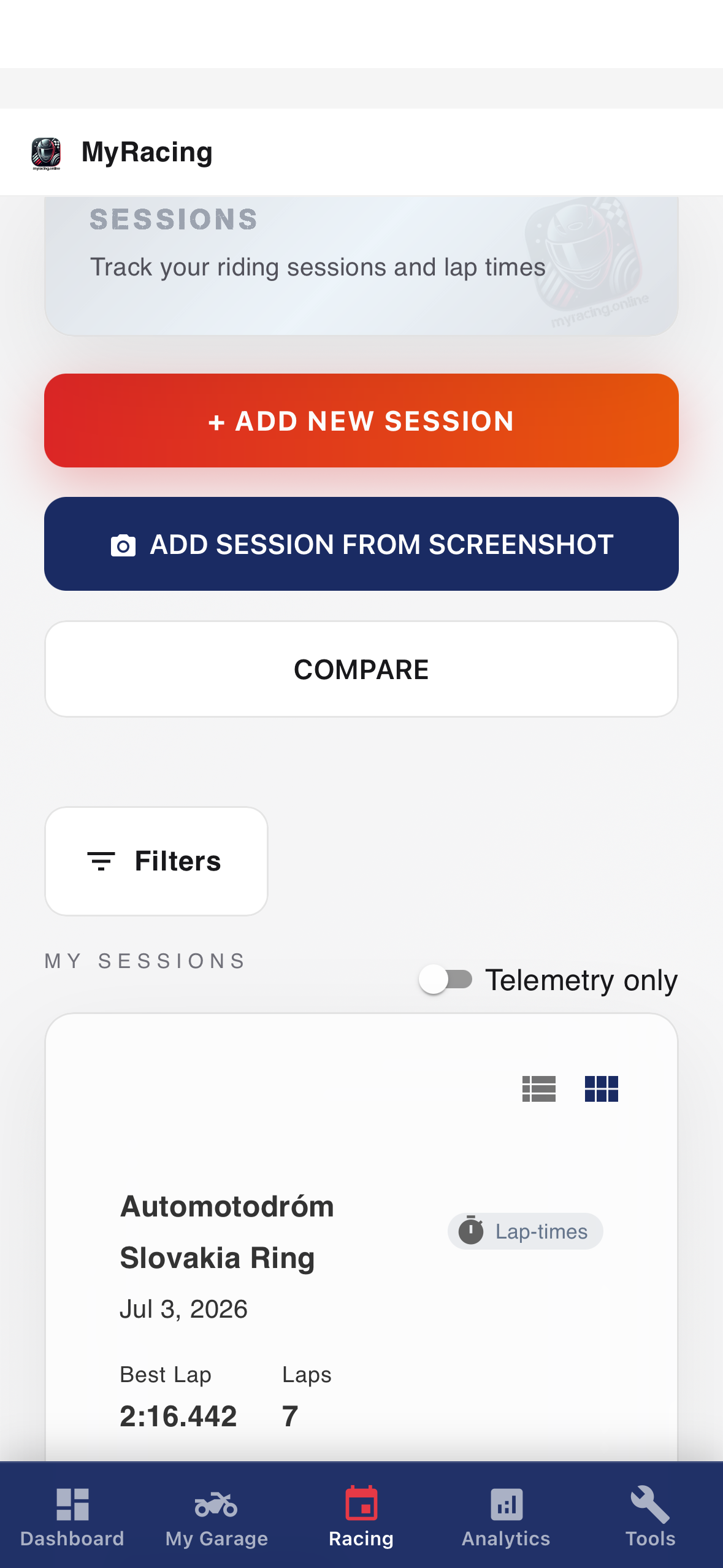
Add lap times and keep the bike, setup and conditions with each session so you can make sense of the result later.
For all riders
Unlimited session logging. Type your laps in, upload a supported timing file for MyRacing to recognise or import lap times from a screenshot.
The full record: setup, tyres with their age in laps/km, pressures, weather and notes, plus best, average, slowest, standard deviation and a lap chart. Compare up to three sessions side by side.
Only in the Rider Pro plan
Analytics tab: lap progression with the gap to your best each lap, a consistency score graded for your session type and conditions, lap-time distribution, outlier handling and detailed stats.
AI session analysis: discuss the saved session and its context with AI Racing Coach. This works with sessions you’ve logged or imported.
With a MyRacing Pulse recording and Rider Pro
Follow the recorded line alongside speed, lean and the channels your setup supplies. Compare two of your own or shared laps on the same layout, with 3D on supported layouts. See what changed through the phases of a corner and how consistently you slow down there.
What a recorded session adds
Corner references. Compare a marked corner with its quickest pass in the session or its pass on the best complete lap. See entry, apex and exit, with braking and other recorded measures where available. The average difference across passes helps you choose what to examine.
Recurring time losses. Open passages flagged by the time-loss report, such as repeated roll-offs or extra slowing. The section-by-lap view helps you see which differences repeat. Sector splits, theoretical best and ideal lap give you timing context.
Recording sources. The MyRacing Pulse app records the session and provides live lap timing. Compatible external GPS, ECU adapters and heart-rate sensors can add data. Channels and recording rates depend on the setup.
Bring your past lap times into MyRacing
Review the pace and consistency of sessions you rode before you joined, even if your next track day is months away.
Read the Rider Journal article →- For all riders
- Import published lap times from services such as MYLAPS Speedhive or Rehm/RaceNova, or from supported timing PDFs, including selected Bike Promotion reports. Available years and details depend on the published results.
- If you already recorded the day with MyRacing Pulse
- Journal keeps published results for the same day and track in your history without adding a duplicate session to your statistics.
From garage to grid.
Go back to a circuit with your last setup, tyre history and lap times to hand. Your garage and session records stay connected to the tracks and events you ride. Rider Pro adds analysis and Coach support when you want to examine that history or prepare for the next outing.
Garage
Everything about your bike, in one place.
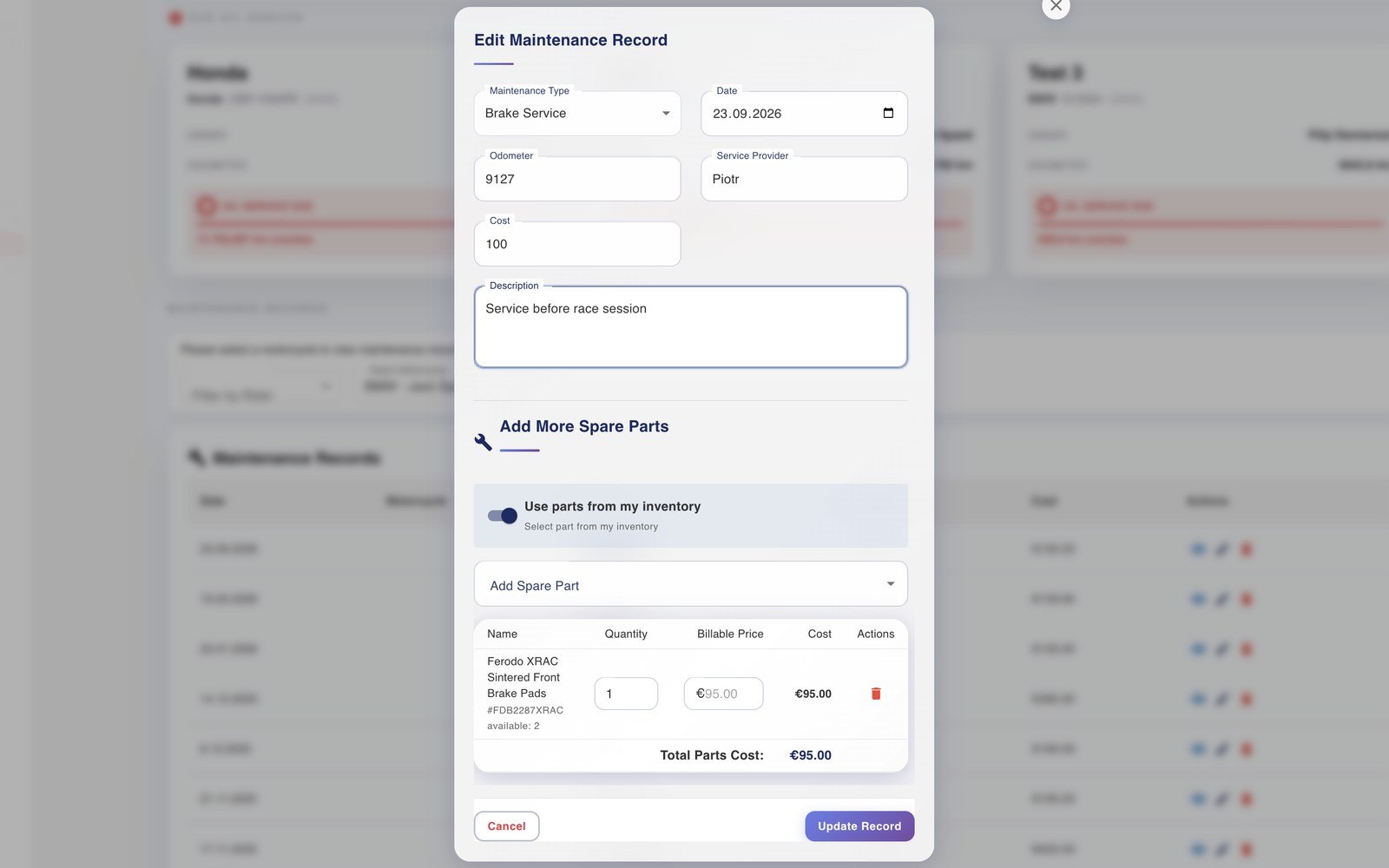
Your motorcycle, its parts and service history, all linked to the sessions where they ran.
For all riders
Your motorcycle: full profile (specifications, suspension details, component history), linked to the sessions where each configuration ran.
Maintenance: service records with cost tracking and reminders, connected to your session data so you always know what's been done and what's due.
Spare parts records. Track up to five parts on Rider Free.
My Documents. Keep items such as racing licences and insurance with your account. Rider Free includes up to ten documents.
Only in the Rider Pro plan
Unlimited motorcycles, setups, tyres and parts. Rider Free covers one motorcycle.
Unlimited document records. Keep your season’s paperwork in My Documents.
Spare parts inventory. Review stock levels, storage and usage history, then use stock forecasts and shopping lists to prepare for the next event.
Share your garage with your mechanic: they see the same inventory and service history and work from your data. See how sharing works →
Setups
The setups that work, saved properly.
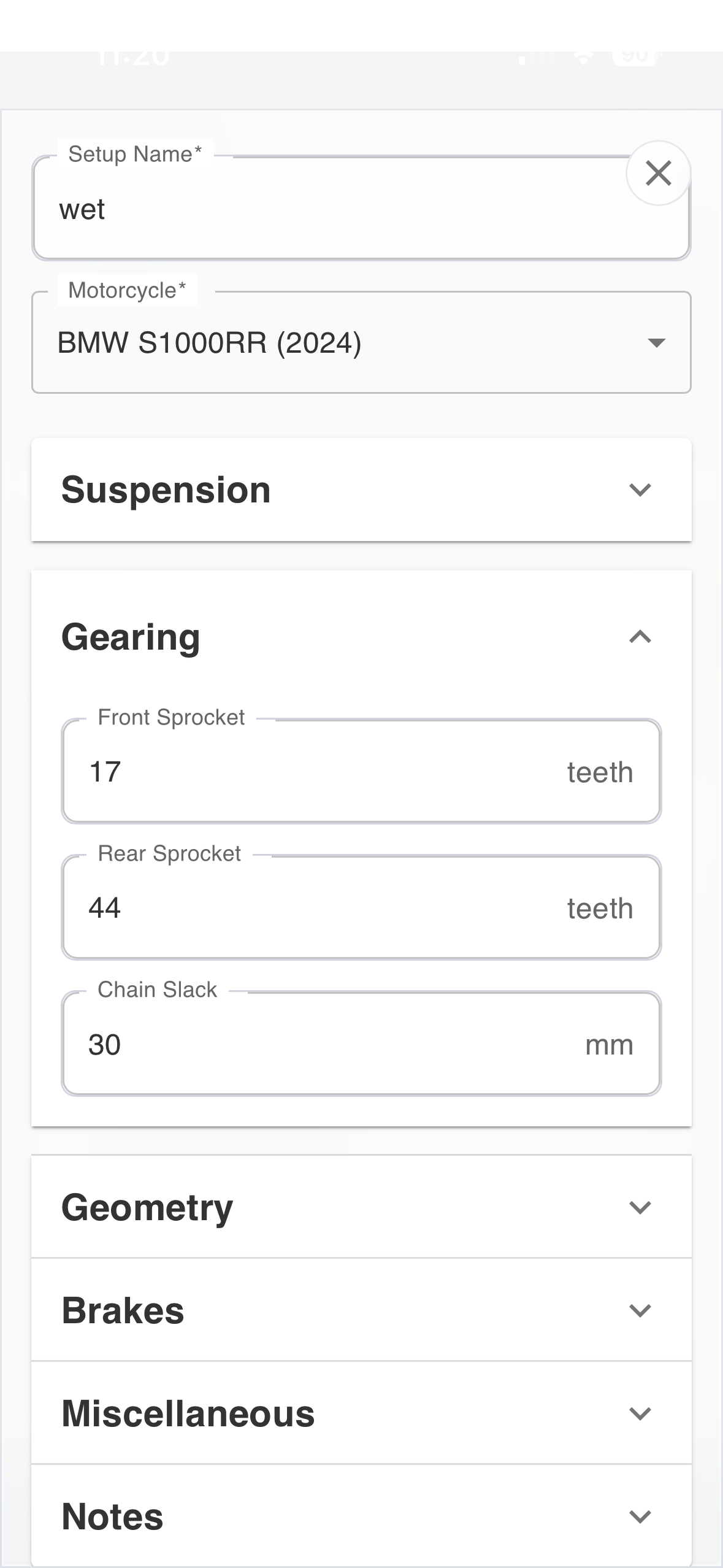
Every setup you run, kept with the results behind it. Easy to compare, easy to share.
For all riders
Setup Archive: save complete setups (suspension, geometry, electronics, gearing) linked to the sessions and conditions where you ran them. Keep up to five setups on Rider Free.
Gearing analysis: compare current and proposed sprocket combinations with calculated speed/RPM charts for each gear.
Compare setups: view configurations side by side to see which settings changed, then review the sessions and conditions in which they were used.
Only in the Rider Pro plan
Unlimited setups and mechanic collaboration. Save all your configurations and share them with your mechanic.
Tyres
Know exactly what's on the bike and what it's done.
Every tyre tracked by its real compound and spec, with usage counted for you.
For all riders
Official catalogues and automatic usage: pick the exact compound and spec from official manufacturer catalogues, each with a unique ID. Usage counts itself with every session: laps, distance and conditions per tyre, no manual logging.
Rider Free limit. Keep up to 50 tyres.
Pressure windows: manufacturer cold and hot pressure windows, warmer rules and compound ranges, for the exact tyre and size you run.
Tyre Selection Wizard: recommendations based on track, weather and riding style.
Temperature chart: log and chart your tyre temperatures across a session.
Only in the Rider Pro plan
Unlimited tyres. Keep the complete history across your motorcycles.
Pressure calculator: work with pressure guidance to prepare a cold setting for the conditions. The calculator can adjust using your own measurements when it has enough relevant sessions.
Tyre performance analytics: review pace and usage through the tyre’s recorded life, with the sessions and conditions needed to interpret changes.
Onboard Studio
See how two onboard laps differ
Load two onboard videos in your browser and play them side by side, corner by corner and frame by frame.
Available to everyone
Side-by-side comparison: drop in any two onboards, scrub each independently, step frame by frame, and run 0.1x to 2x speed.
Fully private: your videos play locally and never leave your device. No upload, no account, any footage from any camera.
Only in the Rider Pro plan
Wait For Me: mark matching references in both videos to measure split differences and follow the cumulative gap.
Synced replay. Play the two laps back together, aligned on the references you select. This works with your videos alone.
MyRacing on the web and mobile
Use one MyRacing account on the web and in MyRacing Mobile for iPhone and Android. Log a session as soon as you’re off the bike, check tyres in the garage or, with Rider Pro, ask the coach between runs. Same account, same data, wherever you are.
Log laps and check tyres in MyRacing Mobile from the paddock.
Desktop web, mobile web, native iOS and Android — everything stays in sync.