Mechanic plan · free forever

One workspace for every bike you look after.

Organise your own parts inventory and work with connected riders’ motorcycles, service records and setups. Review their sessions and, when they use Pulse, shared telemetry or live view. The Mechanic plan is free, with no trial period.

Riders connect to you from Rider Pro.

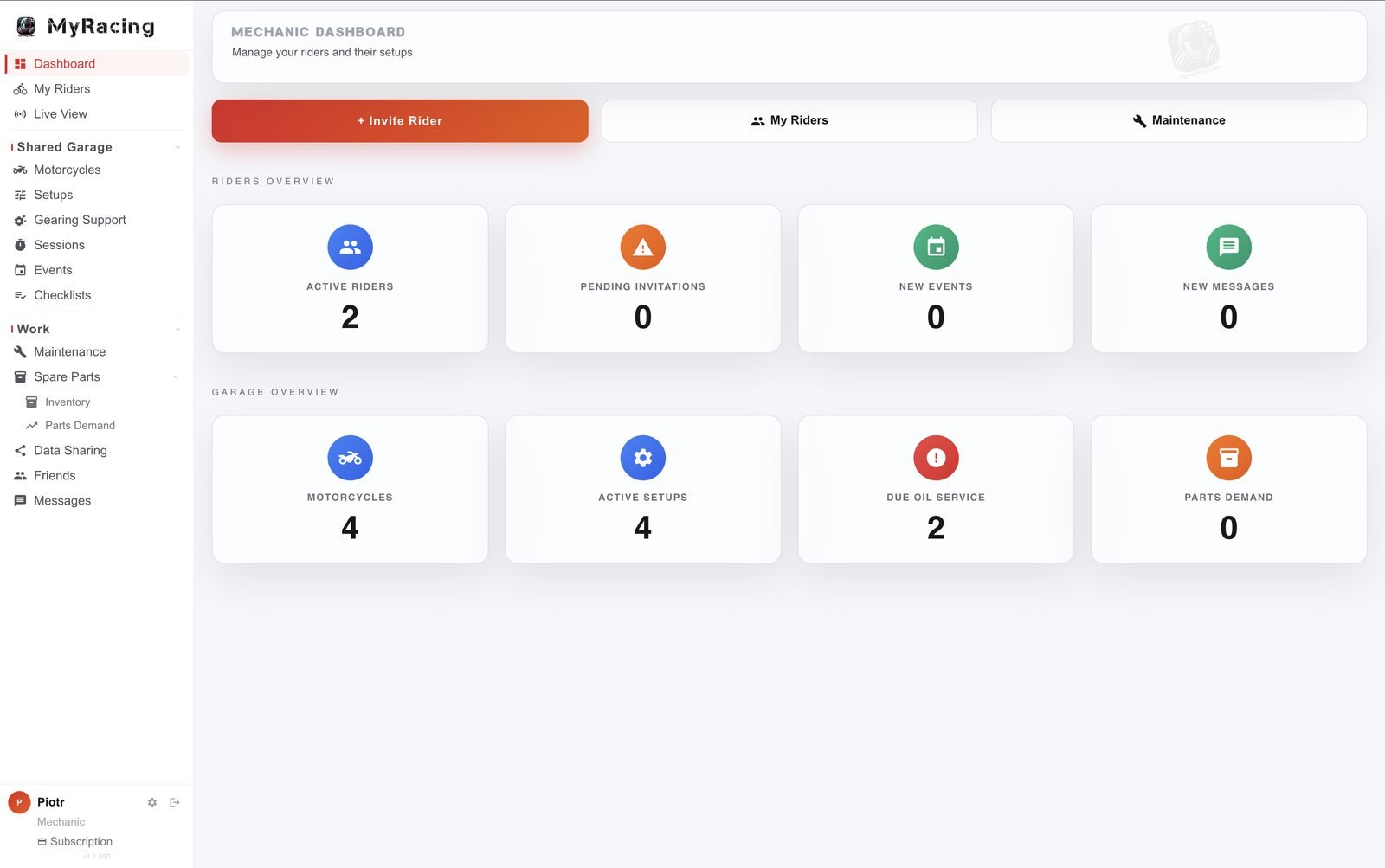
Mechanic dashboard in MyRacing: active riders, motorcycles, active setups, due oil service and parts demand
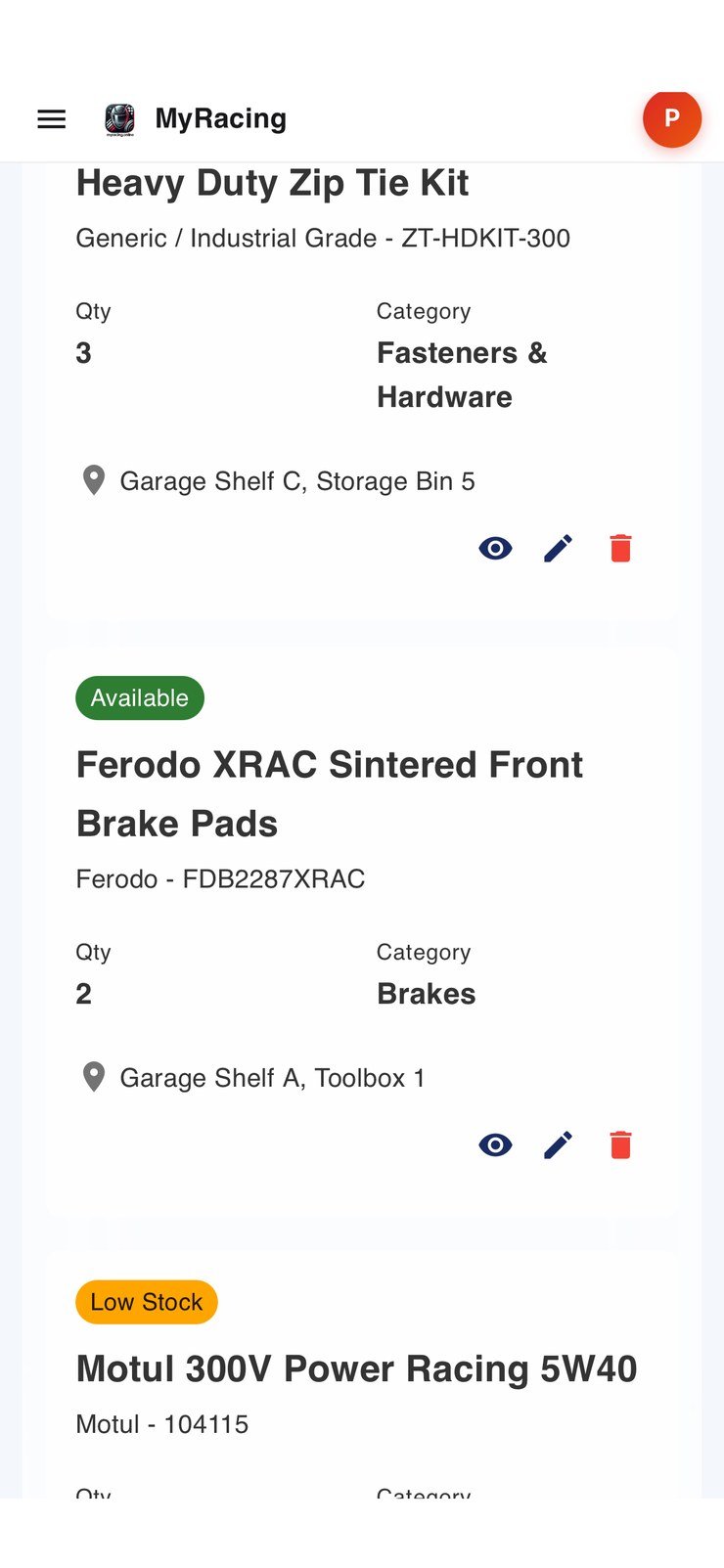
Spare parts inventory open in the phone browser: part, quantity and shelf location
FREE FOREVER An independent workspace for race mechanics

Your workspace. Your riders.

Connect with the riders you work with and run their setups, parts and maintenance from one place, on iOS, Android and the web.

When your rider shares it

Mechanic live view.

You see the lap telemetry while your rider is still on track, from wherever you happen to be.

Follow the ride while it is happening. The race line runs on the map and every lap time lands as it is set, so you can review the available readings before the rider returns.

The bike’s vitals under load. Coolant, intake air, fuel pressure and voltage, next to revs, throttle plate and lean. Every reading carries its age in seconds, so you know whether you are looking at now or at half a minute ago.

The rider is at the circuit but you can be anywhere. You may follow the live telemetry session from the workshop, home, anywhere.

Your side of it costs nothing. The rider starts the live view from the MyRacing Pulse app and rides on Rider Pro. The mechanic account stays free.

Set up your workspace →
After the ride

Shared sessions.

The rider shares a session and it opens in your account, with everything that was recorded on it.

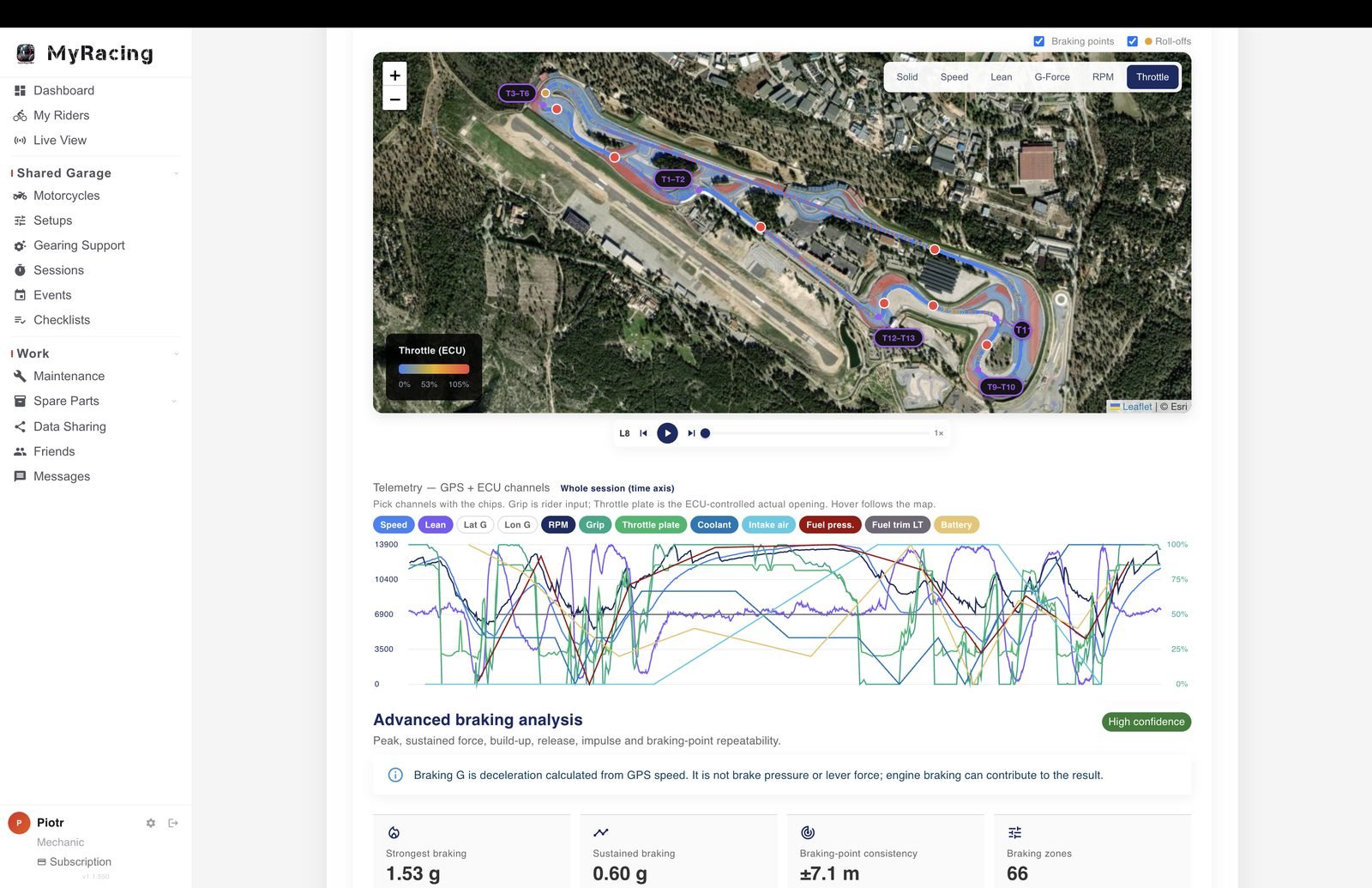
A shared telemetry session in the mechanic workspace: racing line coloured by throttle, braking points, GPS and ECU channel traces and the braking analysis
In a telemetry session

Racing line. The rider tells you something happened at a particular corner. Go to that point on the map and see what the motorcycle was doing there: the speed carried, how far over it was, and with an ECU connected, revs, throttle and temperatures. The braking point and the roll-off are marked on the line, so you are both talking about the same metre of track.

Advanced braking analysis. Review braking-point repeatability and how deceleration builds and eases through the approach. GPS-derived deceleration can include engine braking; it does not measure pressure at the brake lever.

Corner pass comparison. Review each corner against the rider’s best pass through it in the session, or use the best complete lap as the common reference. The comparison helps you choose which passages to discuss with the rider.

Lap times, sectors and effort. Which laps are clean and which were traffic, so a before and after around a change is not spoiled by a lap the rider backed off on. The quickest sectors and the theoretical best sit next to them, and the effort the session took when a heart-rate strap was worn.

In a regular session

Lap times and consistency. Lap progression, best and average, and a consistency score for the session, with the conditions and what was on the motorcycle.

Everything between the sessions

The records that used to live in a notebook.

Setups, maintenance, spare parts and the events calendar, for every rider you work with, within the permissions each one gives you.

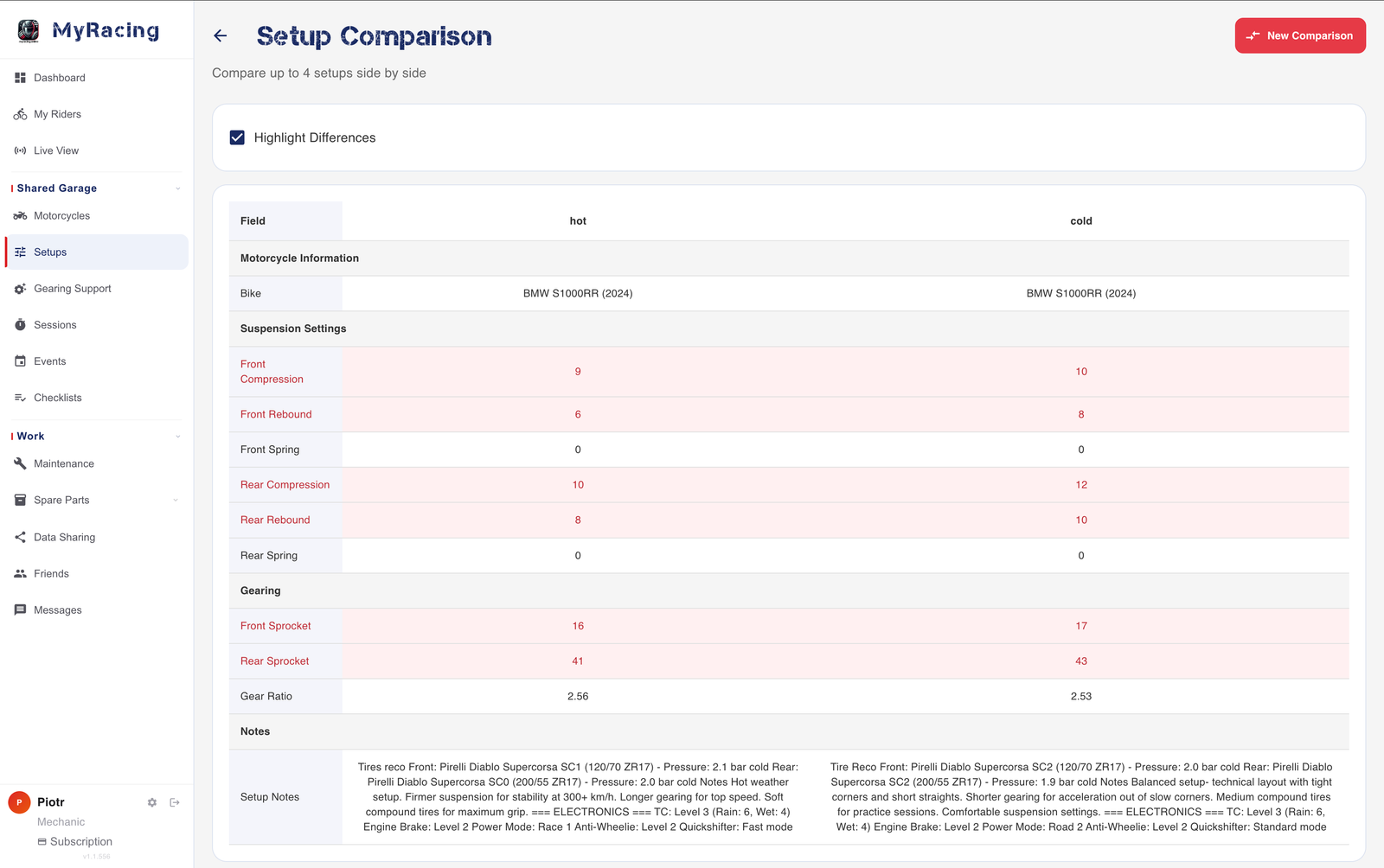
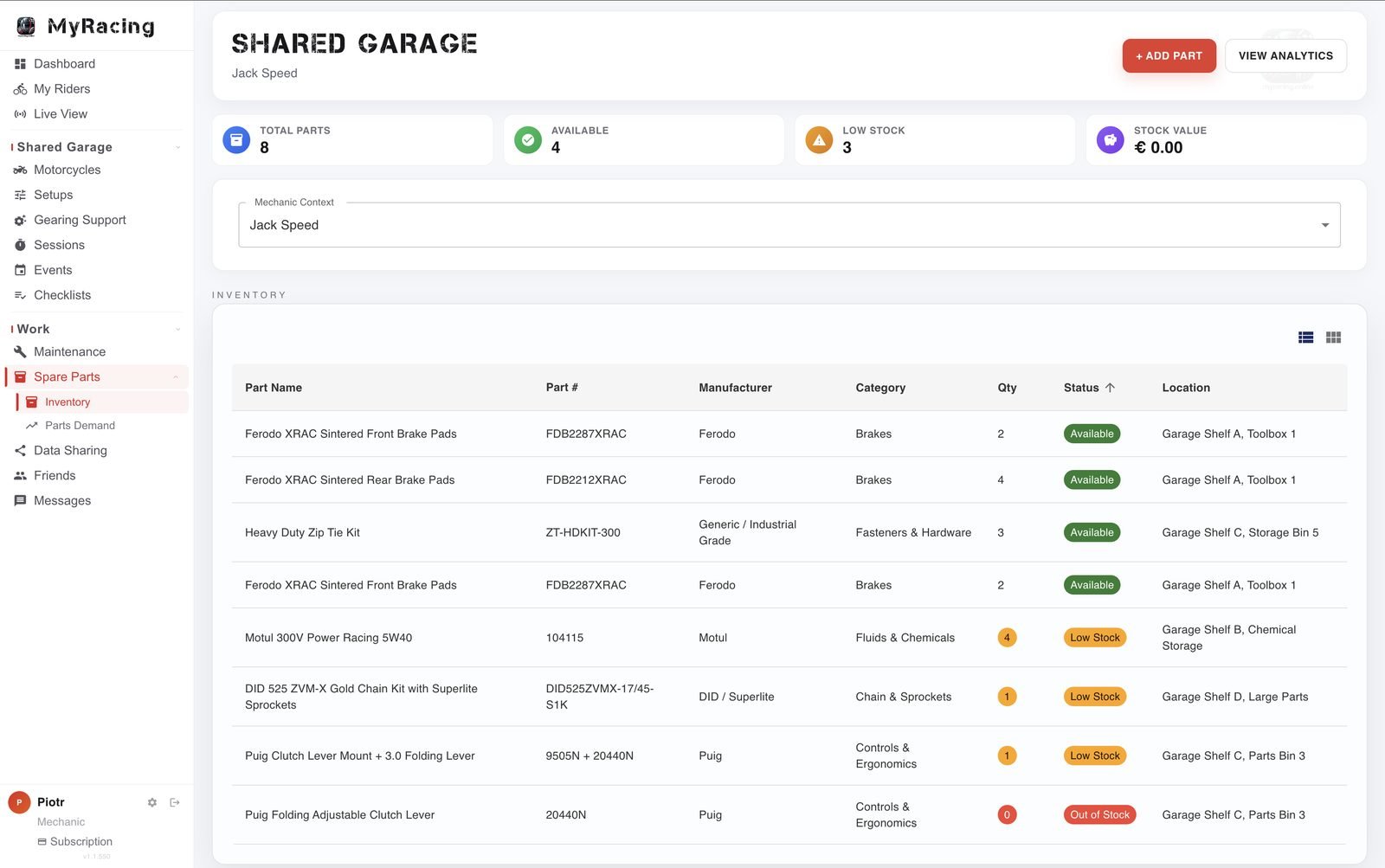
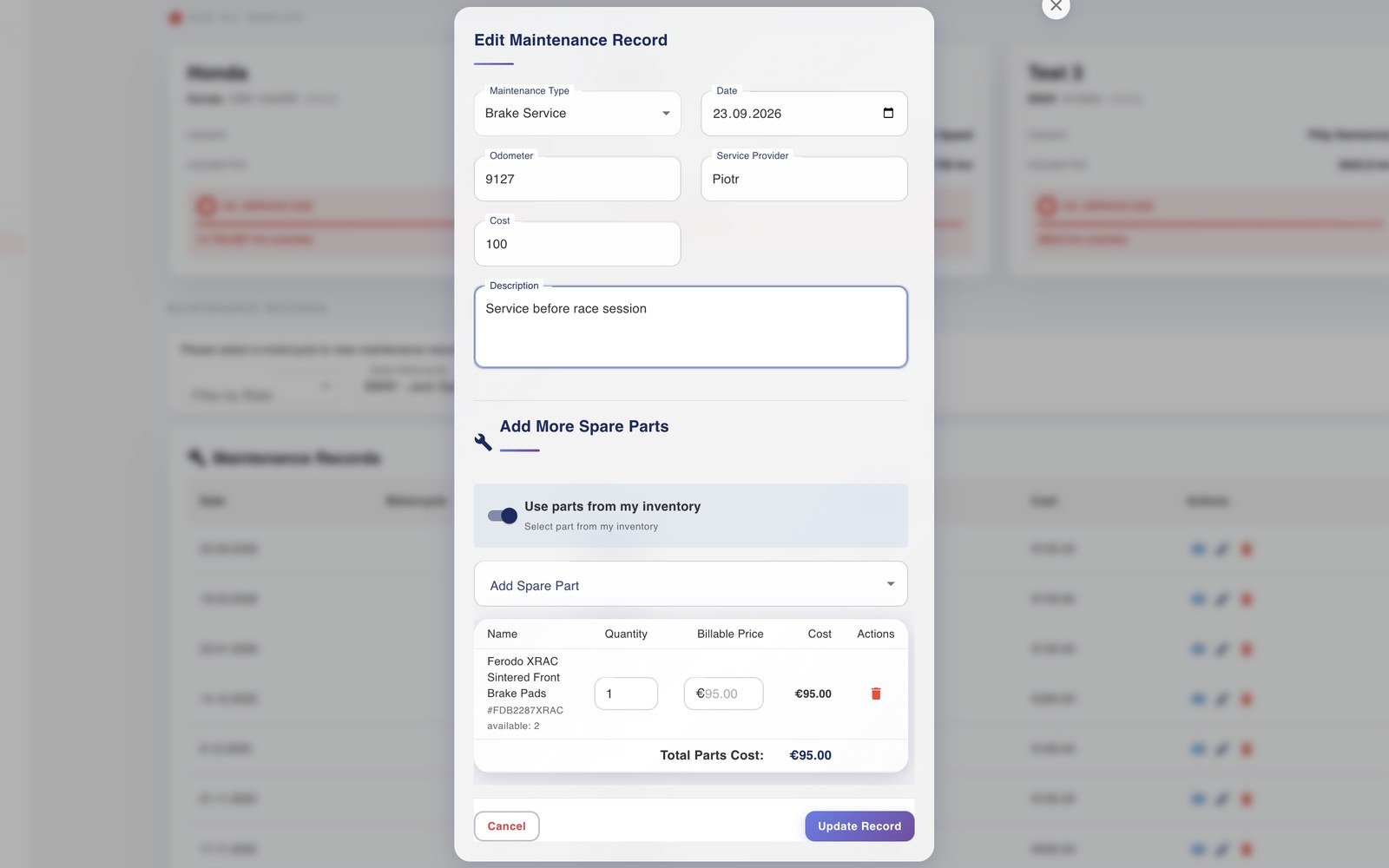
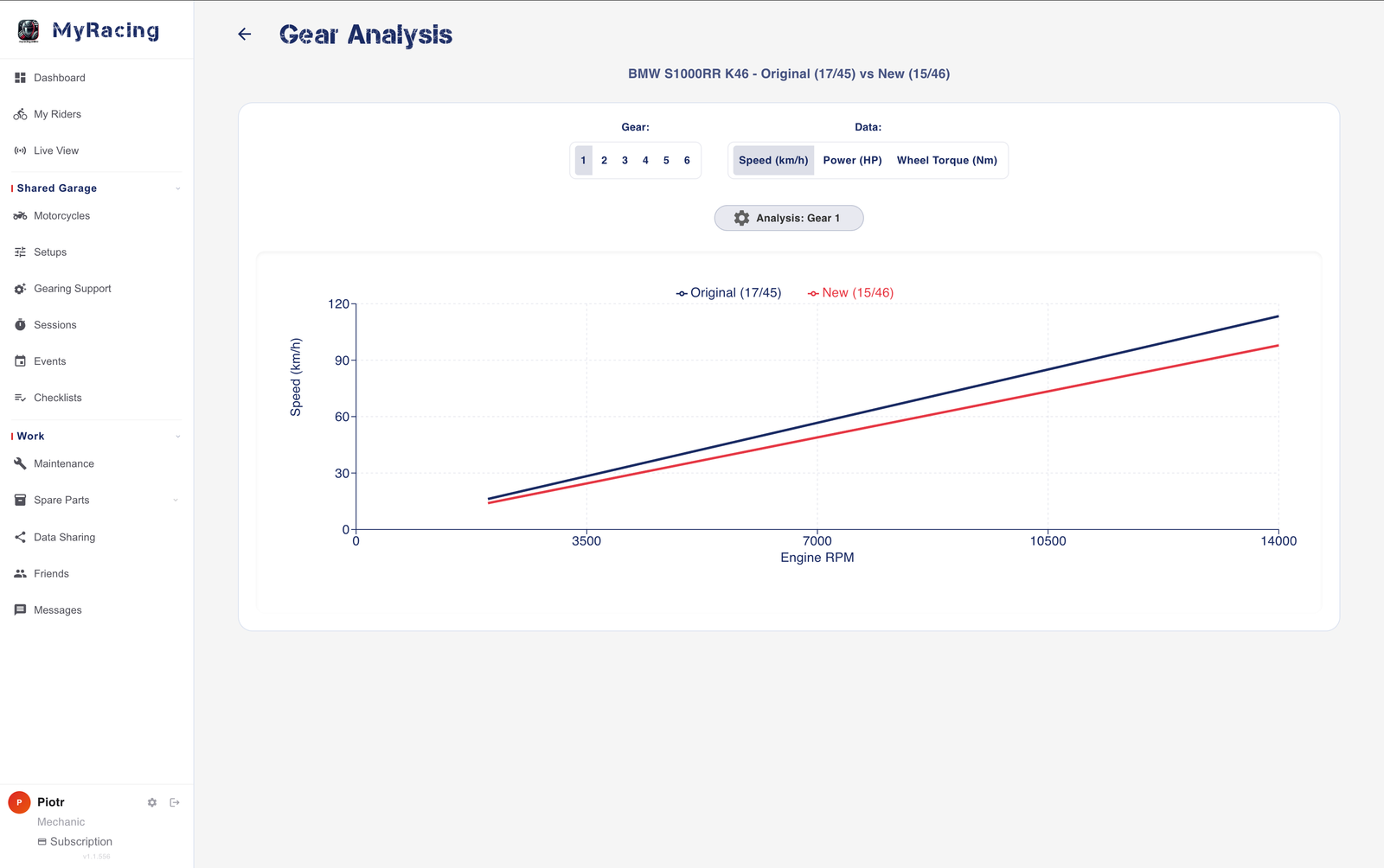
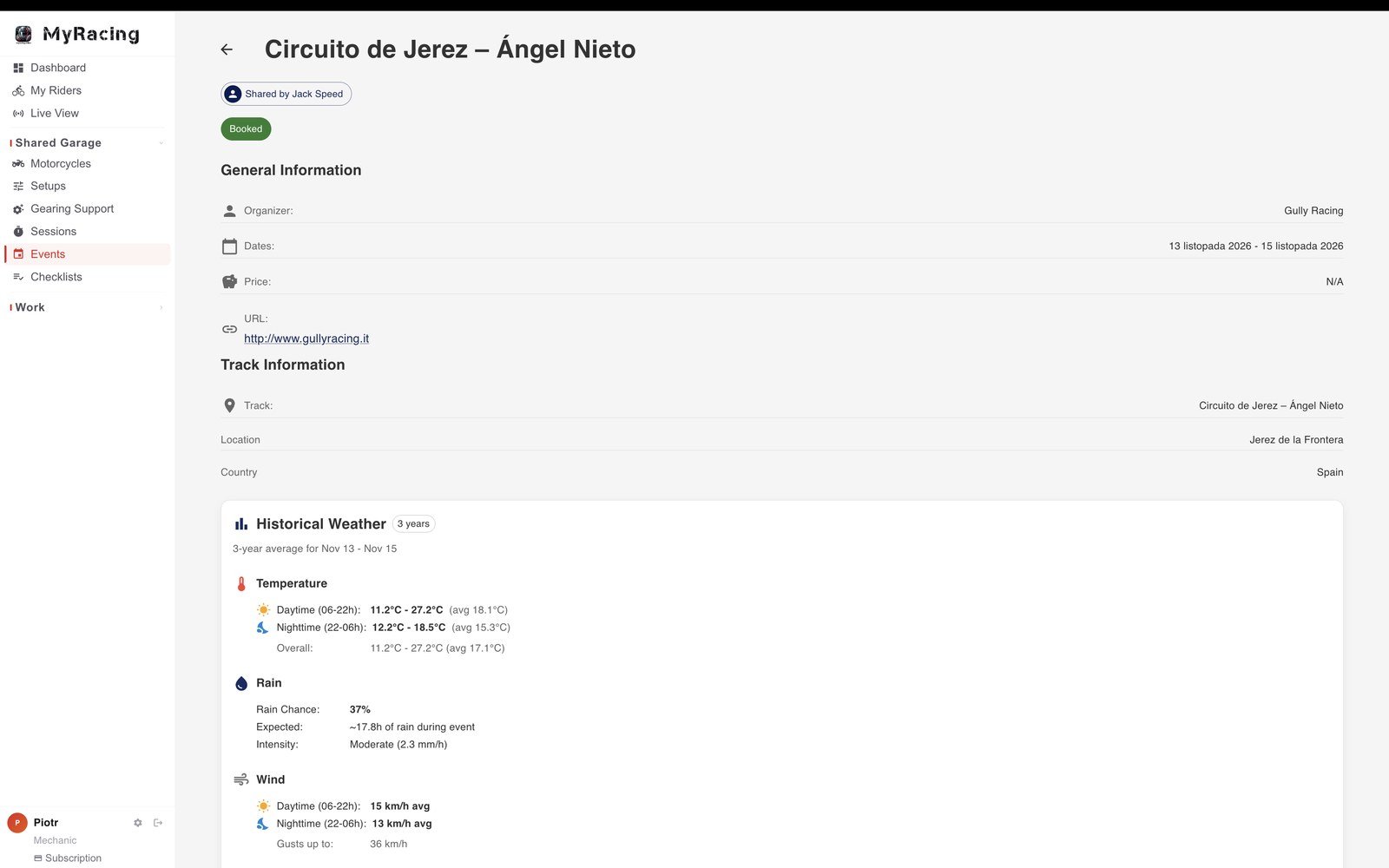
Two saved motorcycle setups compared side by side with differences highlighted. Parts inventory for a shared rider in the Mechanic workspace, with part numbers, quantities and stock status Logging a brake service on a rider’s motorcycle with the brake pads taken from the mechanic’s own inventory Calculated speed against engine RPM for original 17/45 and proposed 15/46 gearing in first gear. A shared event in the mechanic workspace: organiser, dates, circuit and the historical weather for those dates

Motorcycles. Each rider’s motorcycle with its parts and its service history, and the sessions those parts ran in. Where the rider allows it, you keep the details up to date yourself.

Setups. A setup comes with the session and the conditions it was run in, so you can review it alongside the recorded ride and conditions. Create one, recommend it to the rider, and compare setups side by side.

Maintenance. Add the service record against the motorcycle, with what it cost, and take the parts from your own inventory or deduct them from the rider’s. Reminders say what is due before the rider asks.

Spare parts. Check quantities and usage in your own inventory and the rider’s stock where shared. Parts Demand brings upcoming needs together so you can review supplies before the next event.

Gearing Support. Put a proposed sprocket pair against the one on the motorcycle and read what it changes across the rev range.

Events. The events your riders have coming up, what each of them needs for those dates, with available weather information to help with preparation.
Frequently asked questions

Mechanic Plan
Is the MyRacing Mechanic plan free?
Yes. Mechanic is a separate free plan with its own spare-parts inventory, usable without a rider connection or Pulse. Connecting a Rider Pro user adds access to the motorcycles and records they choose to share, with permissions for tasks such as maintenance or setup work. Read about parts and maintenance records.
What is Mechanic live view in MyRacing?
Live View shows current snapshots from a rider's Pulse session in the mechanic's MyRacing account: position on the map, lap times and available recorded channels. The rider starts it in Pulse and controls access. The data depends on the phone, any connected sensors, and the motorcycle's available ECU channels.
Does the mechanic need to be at the circuit for Live View?
No. The rider starts Live View in Pulse on Android or iOS and grants access to the mechanic. Both sides need internet; the mechanic can watch in a browser on a phone, tablet or computer from another location. Up to four live views can run at once. Check the freshness of readings if reception is intermittent. Read about remote cooperation.
Does the rider need a paid plan to work with a mechanic?
Yes. A rider connects to a mechanic from Rider Pro, and telemetry runs on Rider Pro as well. The mechanic side stays free: a Mechanic account receives the shared data, the sessions and the live view without paying anything.
What happens to a live view after the session ends?
The live view ends and its snapshots are not stored as a separate recording. Pulse records the session independently. If the rider shares that saved session, the mechanic can return to it in Shared Garage while access remains available.
What can a mechanic see in a shared telemetry session?
The shared recording includes the channels and analysis available in the mechanic’s session view. The racing line on the circuit coloured by speed, lean, G-force, RPM or throttle, braking points and roll-offs on the map, lap playback, every GPS and ECU channel the session recorded, and the braking analysis with peak and sustained braking, braking-point consistency in metres and the number of braking zones.
How does a mechanic connect with riders in MyRacing?
The rider invites the mechanic from their Rider Pro account and sets the scope of what is shared: motorcycle details and history, setups, maintenance records, sessions, telemetry sessions, spare parts and the event calendar. A mechanic can also send an invitation for the rider to accept. Every connection is managed from one dashboard, and inactive riders can be archived.
Can a mechanic edit rider data and use their own spare parts?
With the rider's edit permissions, a mechanic can update motorcycle details, create and propose setups, compare up to four configurations and add maintenance records. A service entry can use parts from the mechanic's own inventory or the rider's supply. Rider-created data cannot be deleted by the mechanic. See how to set up access.
Free, forever

Set your workspace up.

No trial period and no card. The mechanic plan is free and stays free.

Set up your workspace → Full Plans comparison →