Look beyond the quickest complete lap
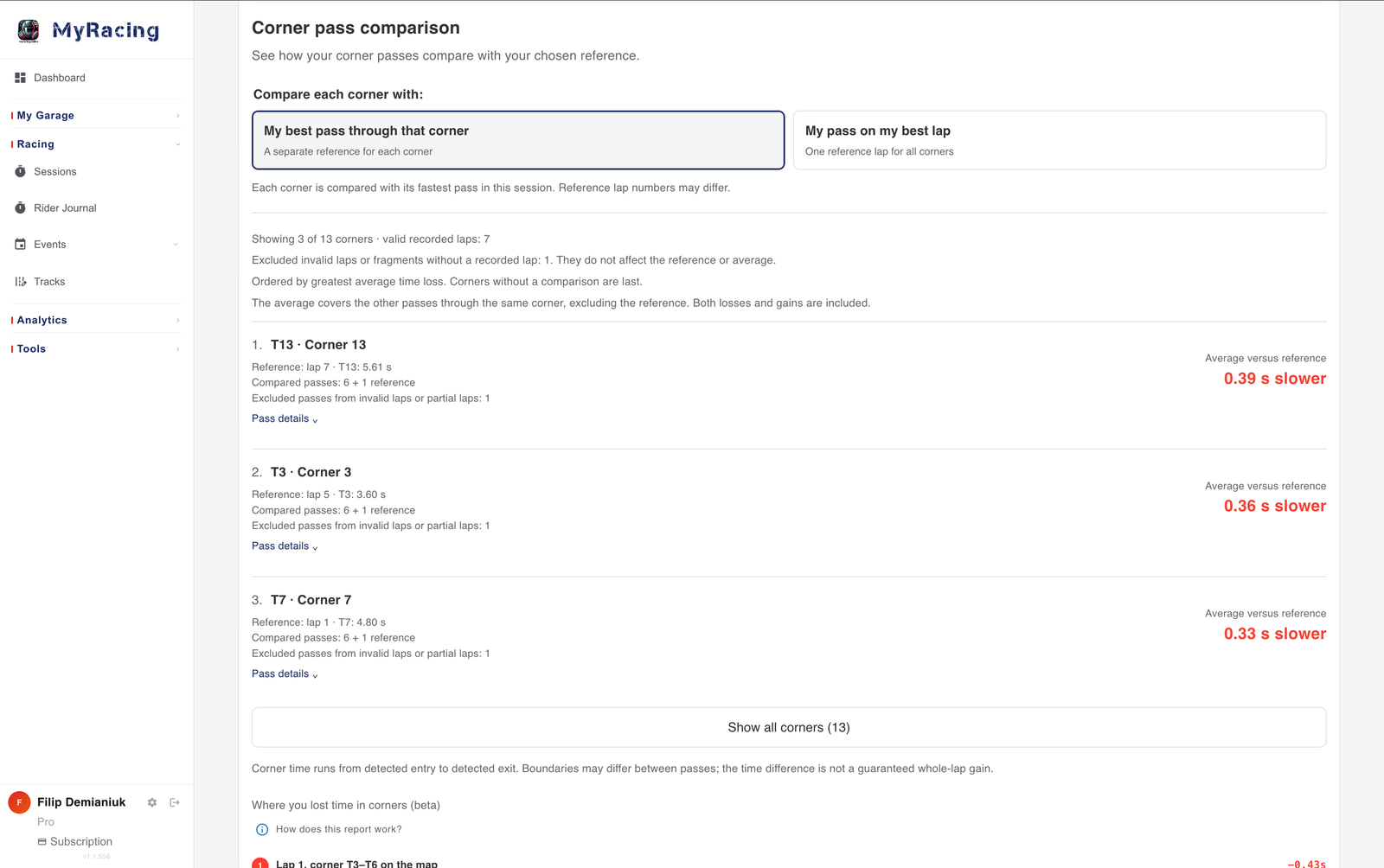
Traffic may spoil an otherwise good lap, or one difficult section may cost time after an earlier corner went well. The final time rolls all of that into a single result. For a closer review, Corner pass comparison lets each marked corner use its own quickest pass from the session as the reference.
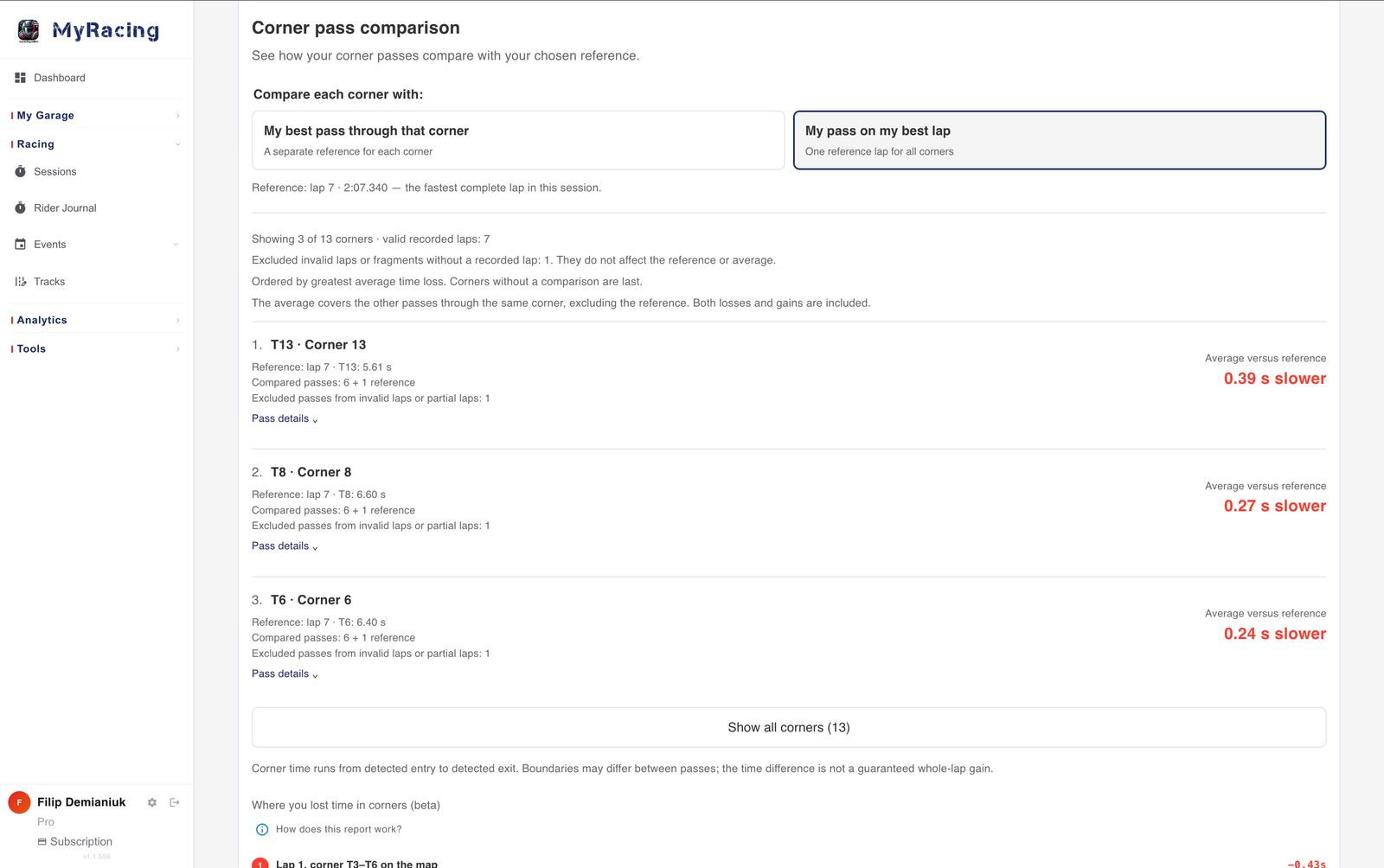
The references can come from different laps: one corner from lap seven, another from lap three. The other mode uses the passage from your best complete lap for every corner. Switching the reference changes the question you are asking of the session.
Average differences against the selected reference help identify corners to examine, with individual passes available below. You can find the lap containing a good attempt even when it is well down the overall order.
What happened through the rest of the turn?
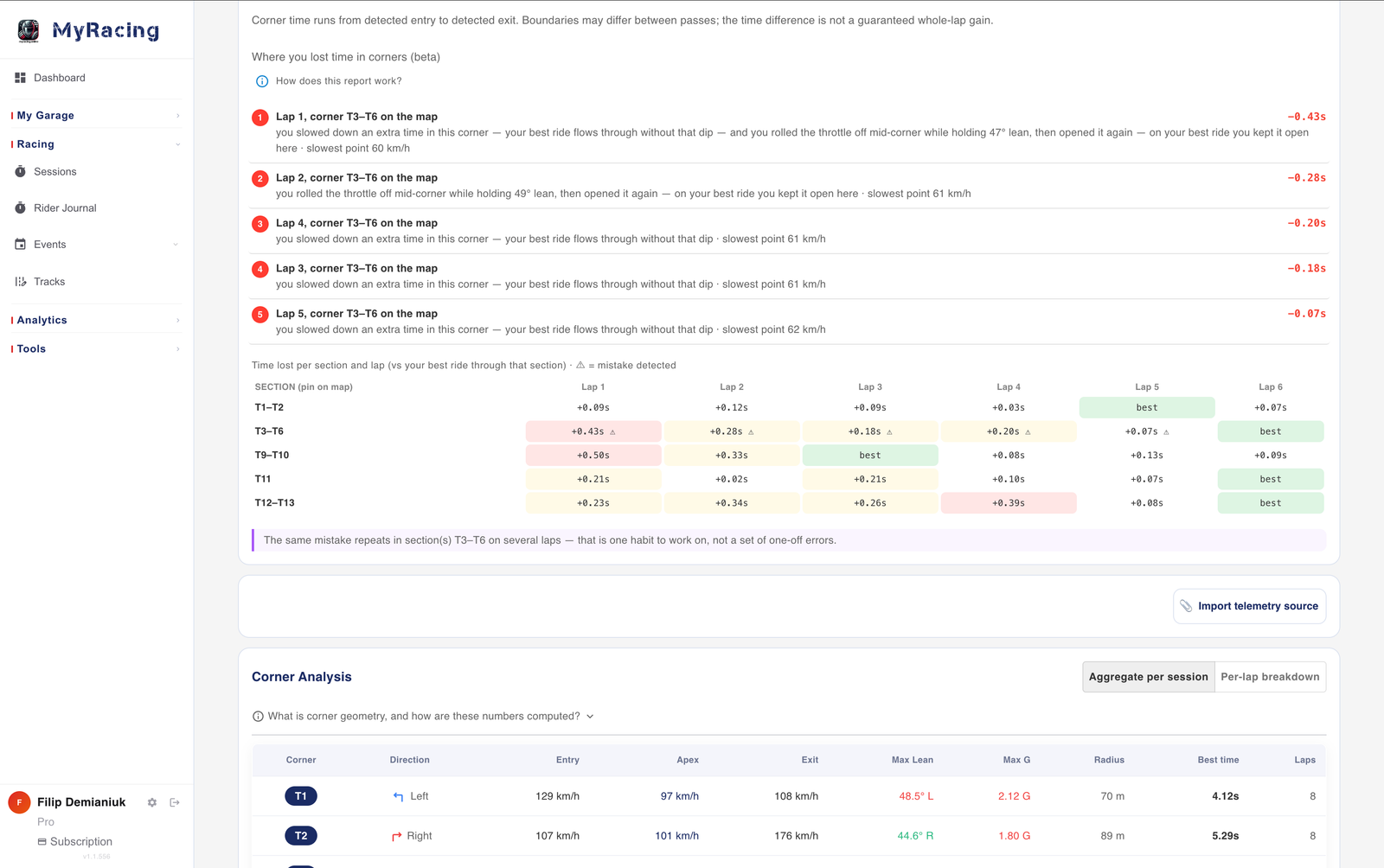
Finding a quick pass is a reason to look at the ride it came from. The separate Corner Analysis table supplies entry, apex and exit readings; its apex reading refers to the slowest point of the detected pass. Those values can help locate a difference that deserves a closer look.
Lap comparison then puts selected attempts together with their paths and time-difference traces. An early advantage may disappear on exit. Following that exchange helps explain why an entry that looked promising did not keep gaining through the passage. A single speed reading would leave out what happened before and after it.
On supported layouts, 3D comparison also makes the recorded paths visible as rides across the width of the circuit. The lap-comparison guide explains bringing the selected laps into that view.
Keep the comparisons in context
Corner pass comparison uses track corner markers, with entry and exit detected separately for each pass from lateral loading. Its timing boundaries can move between attempts. A difference in corner time therefore does not guarantee the same saving on a complete lap; examine the paths and surrounding speed as well.
There is also a separate beta report, Where you lost time in corners. It compares automatically detected flowing sections, which can include linked corners, and may flag a pattern repeated across laps, such as rolling off in the same sequence. These sections differ from the numbered corners in Corner pass comparison.
One view can help recover an overlooked good attempt; the other can draw attention to repetition across the session. Use the report that fits the passage you want to examine, keeping its definition of that passage in mind.
A slower lap can still supply the example
The best complete lap remains a useful measure of the session. It need not be the only ride you study. If an earlier attempt contains the corner you want to repeat, you can keep that whole passage in view, from the approach through to the exit, and see what made it worth finding.