Check what is available before buying more
Supplies kept for several bikes are easy to consider as one stock purchase, but each upcoming job draws on that stock. Your inventory holds quantities and minimum levels, with parts that can be universal or assigned to a motorcycle. Low-stock flags draw attention to items running short.
The inventory works independently of rider connections and Pulse. You can use it for your own supplies from the start, checking the quantities you maintain there before placing an order or packing for an event.
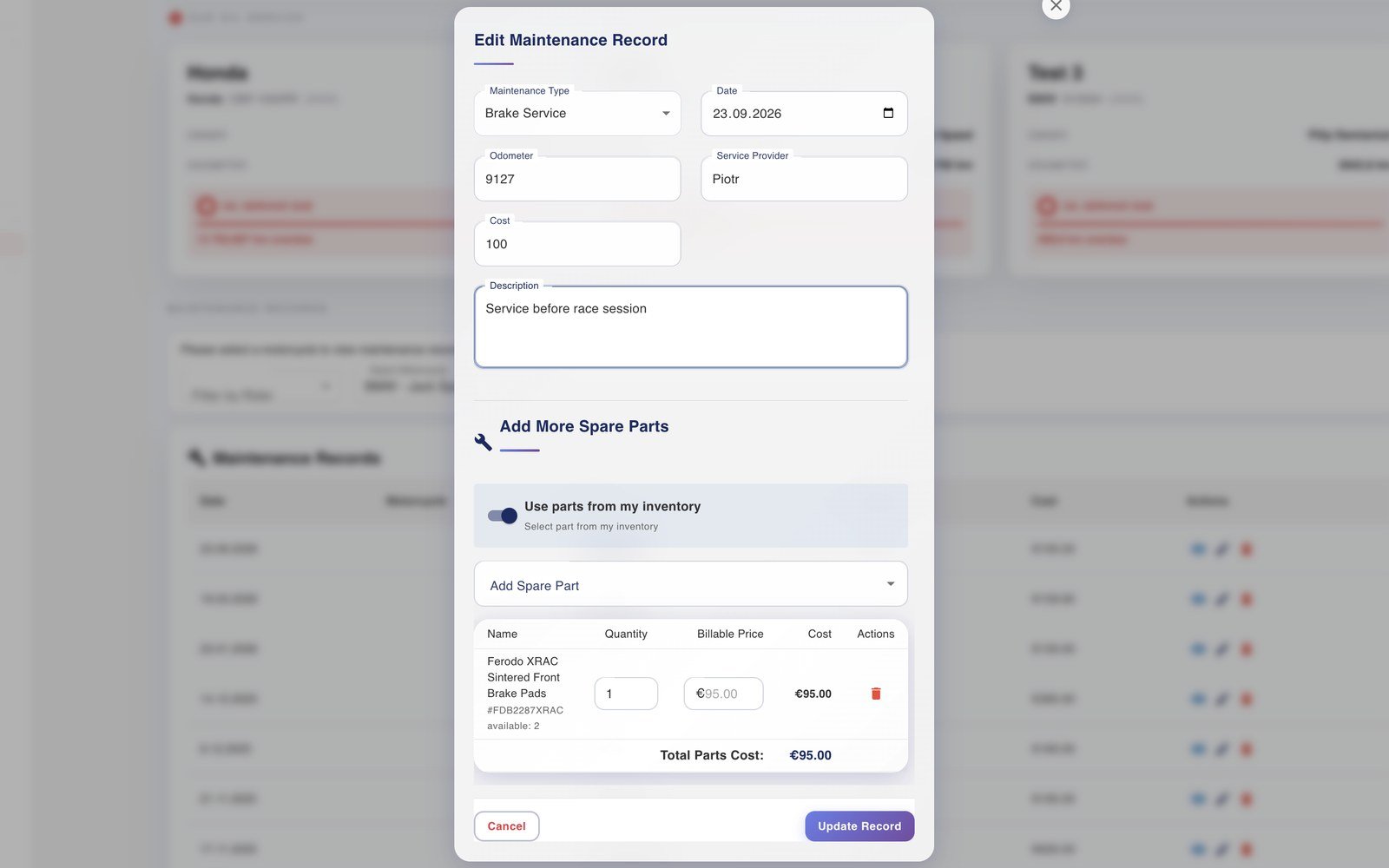
Record which parts went into the service
A rider may supply the pads for one job while you use your own stock for another. When a connected Rider Pro user grants maintenance access, the service entry can identify that source alongside the date, mileage and parts used.
If the question comes back later, the entry answers it for that motorcycle: which pads were fitted, during which service and whose supply they came from. Your description of the work can preserve observations that the part name would not explain, together with any cost information you choose to record. The maintenance guide covers creating the entry.
Allow for more than one rider’s plans
Several riders may need supplies before the same weekend. Parts Demand shows projected needs by rider and highlights critical shortages, with shared events and checklists providing the preparation context. You can review those needs against your own quantities before ordering.
The per-rider view helps keep a common purchase tied to the jobs it is intended for. The maintenance histories show the work already recorded; the projected needs indicate supplies to check for what is coming up.
Keep the stock view and the bike history useful
After a busy run of jobs, the questions will differ. Before an order, you need to know what remains available. For a rider’s query, you need the work recorded on their motorcycle. Keeping your inventory and those individual maintenance entries in MyRacing gives each question a relevant record to consult.