Each motorcycle brings a different job
The event date sets a deadline. What needs doing depends on the bike: its previous maintenance, the configuration used last time and what the rider reported afterwards. Shared motorcycle records let you pick up that work with the relevant history in front of you.
You can add maintenance records and create or propose setups when the rider has granted the appropriate access. The mechanic account is free; the connected rider needs Rider Pro and controls which records you may view or edit. Ordinary sessions and event records are enough to start. Pulse is optional.
Make room for the workshop work too
Your parts inventory works independently, before any rider connects. It holds the supplies you keep for your own use as well as for jobs on shared motorcycles. When you record a service, the parts used can be identified as coming from your stock or the rider’s supply.
With several departures approaching, shared checklists and Parts Demand help you review upcoming needs against that stock. The parts and maintenance article goes into this in more detail: knowing what is available before a job, then keeping a record of what went into each bike.
Put a specific proposal in front of the rider
A request to try a different setup needs an identifiable version of the bike to start from. MyRacing highlights differences across up to four saved configurations. You can inspect the changes between an earlier setup and a proposed one without making the rider translate a general suggestion into settings.
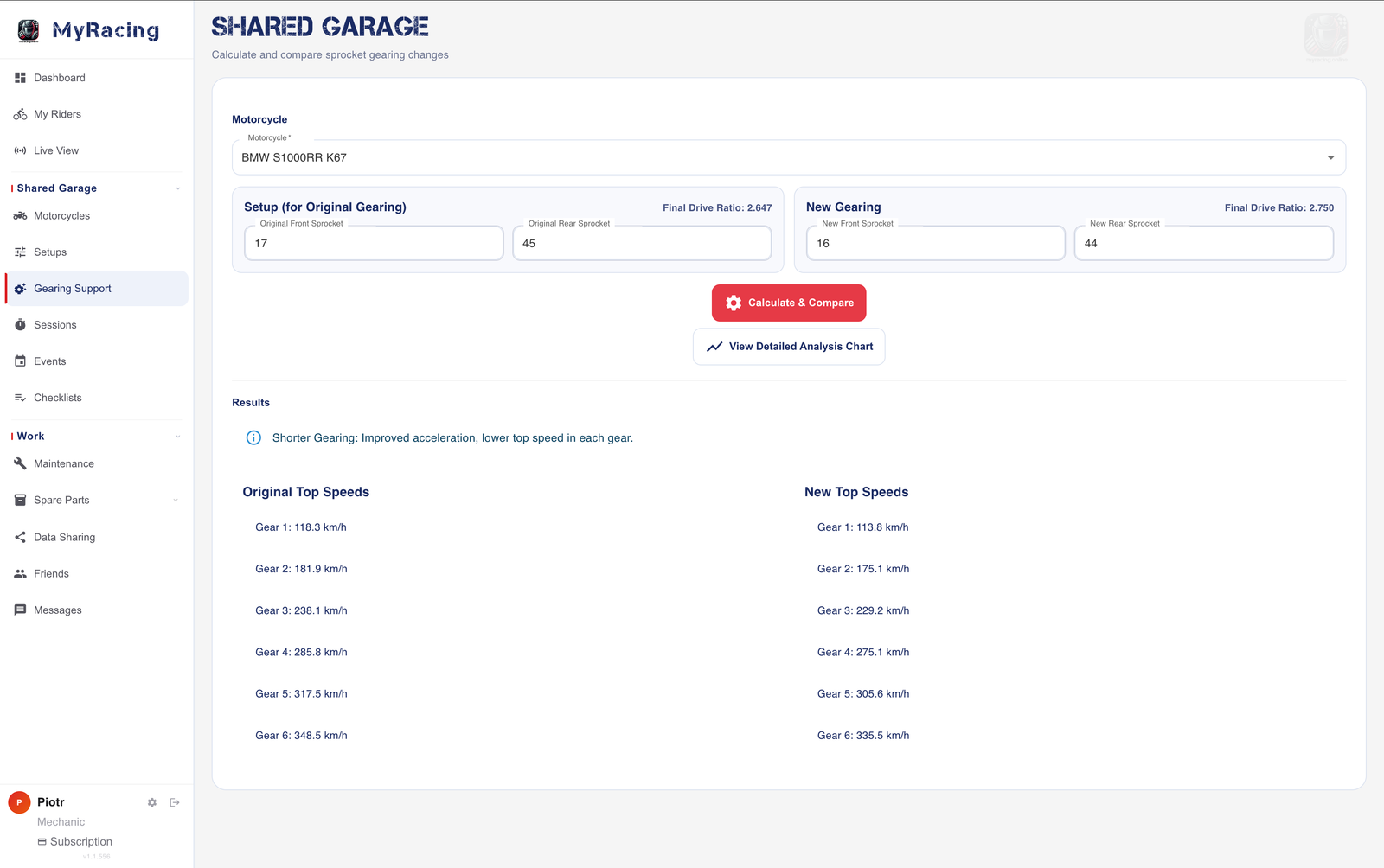
A sprocket change has consequences worth looking at before fitting it. Gearing Support compares the selected combinations and their calculated speeds in each gear. Together with the rider’s account of the circuit, that helps you discuss the proposal. The setup guide covers preparing and comparing the records.
Once the rider has used a configuration, linking it to the session keeps the proposal and the ride distinguishable. At the next review, you can establish what was actually used and read the observations recorded with it.
Understand the moment the rider means
“It felt unsettled there” is the start of a discussion. With a shared Pulse session, you can locate the passage and examine the recorded line and speed, plus any available ECU readings. The rider’s description then refers to a moment you can both inspect.
You can also stay involved during an event you cannot attend. Pulse Live View provides current readings in a browser when both sides are online; a saved session can be shared separately afterwards. Neither is required for the service, inventory and setup work.
Continue the job when the rider gets back
One rider may want help only with servicing. Another may ask you to review the session and prepare the next setup. The sharing guide explains access to the records needed for that arrangement.
When those two riders get back, you can open the service history for one bike and the session with its setup for the other. Each job can continue from what was recorded, even though the motorcycles spent the weekend at different circuits.